
What is Fomo? Main features and how to use it
Fomo (fomo.family) is a social crypto trading app: you see what good traders are buying on the feed, follow them, get notified and buy yourself with a single swipe. Fomo has iOS and Android apps and a web version, and uses one USD balance for Solana, Base, BNB Chain, Monad and other chains, with no need to hold gas tokens yourself.
What is Fomo
Fomo is made by FOMO Labs, a team that previously worked at Uniswap, dYdX and OpenSea, and it raised a funding round led by Benchmark. Unlike terminals packed with data panels, Fomo works like a social app: it has a feed, profiles, followers, leaderboards, and a buy button right alongside.
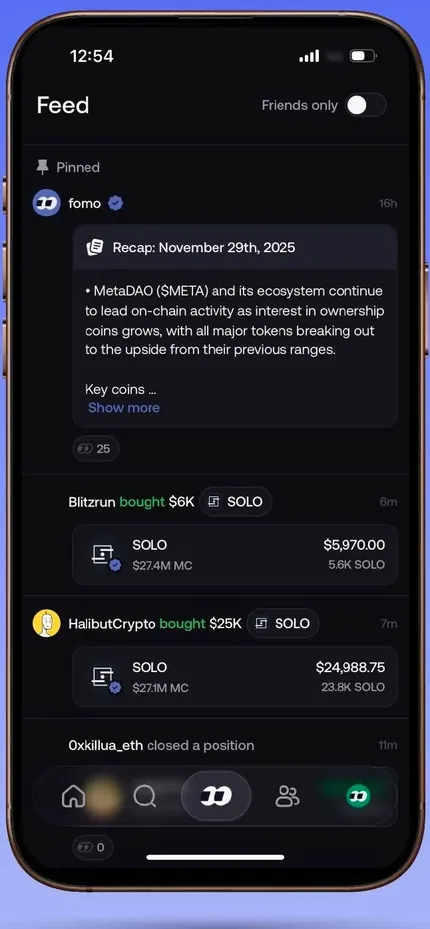
You sign up with email, Apple ID or Google, with no recovery phrase to write down. The wallet is created for you inside the app; it is still non-custodial, and you can export the private key when you need to.
Home and the token page
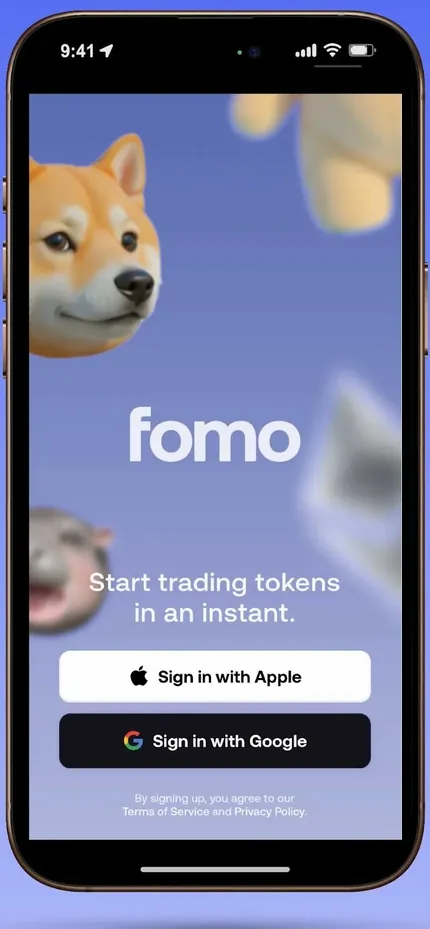
The Home screen shows your balance, the Deposit button, the week's standout trades (Weekly Top Trades) and a token list with the filters Verified, Trending and Most held. Tap a token to open its detail page: price, market cap, who on Fomo holds it, and links to the website and socials.
On the chart, Fomo marks where other traders bought and sold, with the PnL of each trade, and highlights the traders you follow. So you see not only what they bought but also when, and at what price.
Feed: see what good traders are buying
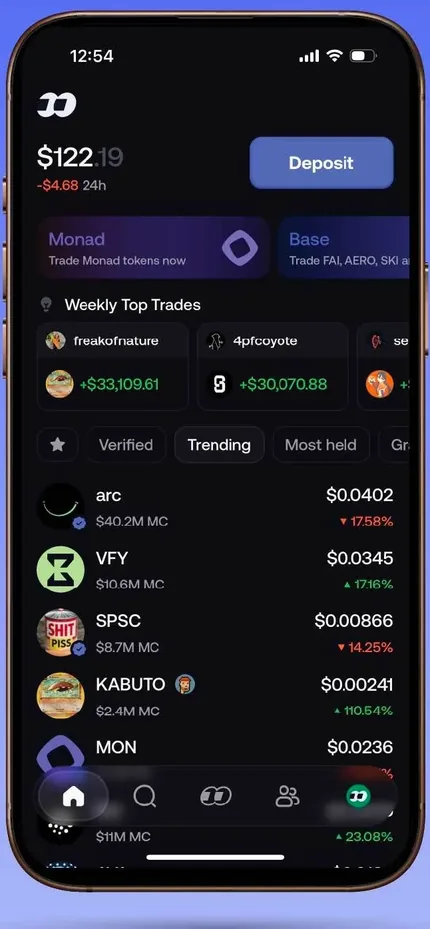
The middle button in the bottom bar opens the Feed, like an X timeline but made entirely of trades: which token was just bought, how much was bought and sold, when the position was closed, how much the price has moved since the buy, and the PnL at close. The feed includes the people you follow and the app's top traders.
Tap a trade to see how that trader built and exited the position, often with a few lines explaining their thesis. Fomo also posts a daily market summary right on the feed.
Leaderboard and following traders
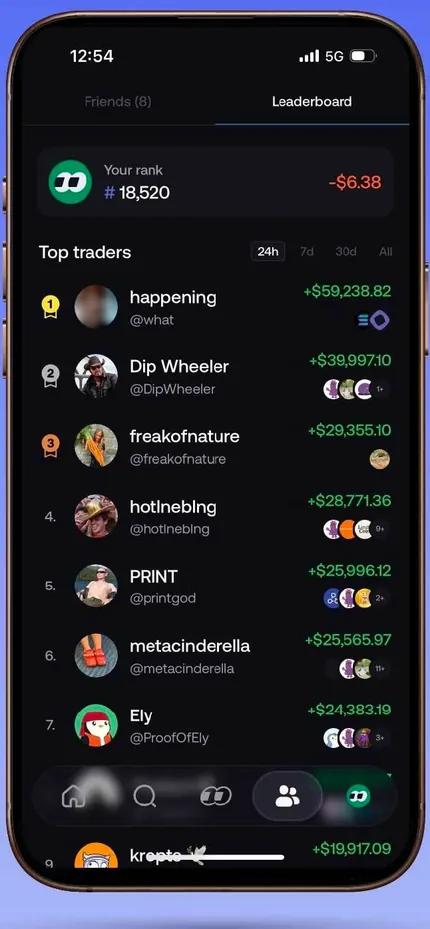
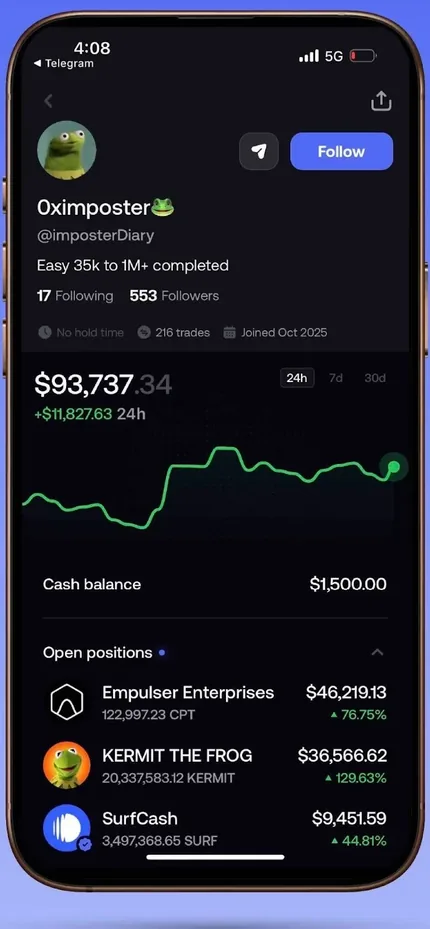
The Friends & Leaderboard section ranks traders by profit over 24 hours, 7 days, 30 days or all time. Tap a name to open the profile: portfolio chart, open positions, cash balance and trade history. If you like someone, tap Follow so their trades show on your feed, then turn on notifications just for that person.
The Friends tab next to it is for finding and following friends. The Search box in the bottom bar finds both tokens and user profiles.
Notifications: never miss a trade
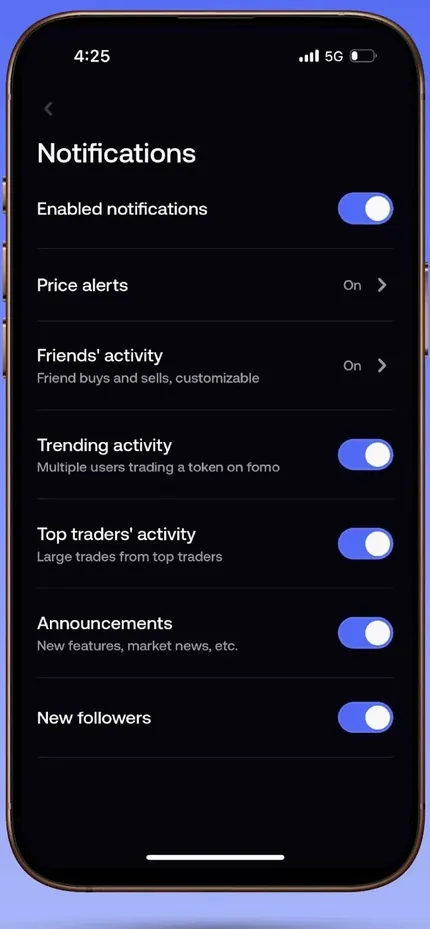
- Price alertsAlerts you when the price of a token you hold moves sharply.
- Friends' activityAlerts you to buys and sells by people you follow; filter by minimum trade size (for example 1,000 USD or more) and turn it on per person.
- Trending activityAlerts you when many traders buy the same token.
- Top traders' activityAlerts you to big trades by top traders.
- AnnouncementsMarket news, analysis posts and new features.
Trading: swipe to buy, Apple Pay
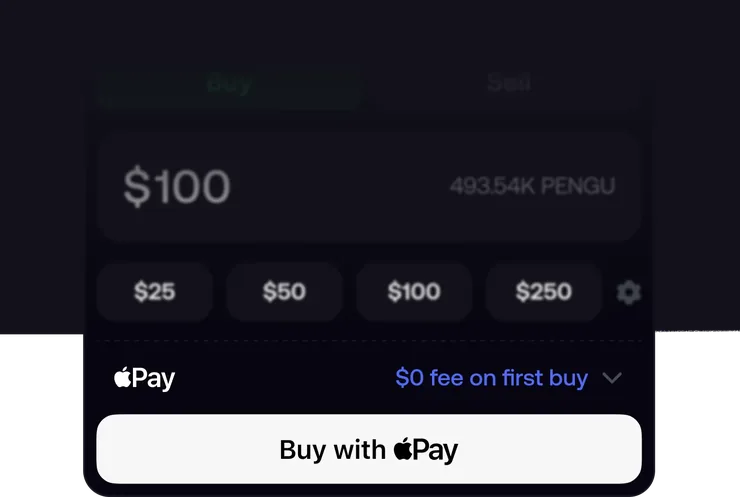
On a token page, choose the amount and swipe to buy (slide-to-buy); buying works the same way for tokens on every chain Fomo supports. You use your deposited balance, or for some tokens, pay directly with Apple Pay without depositing first. Fomo says your first Apple Pay buy is free of fees.
Orders go through DFlow for routing and protection against sandwich attacks (MEV). Each position has a PnL card (a win or a "fumble") to share on social media.
Fomo on the web
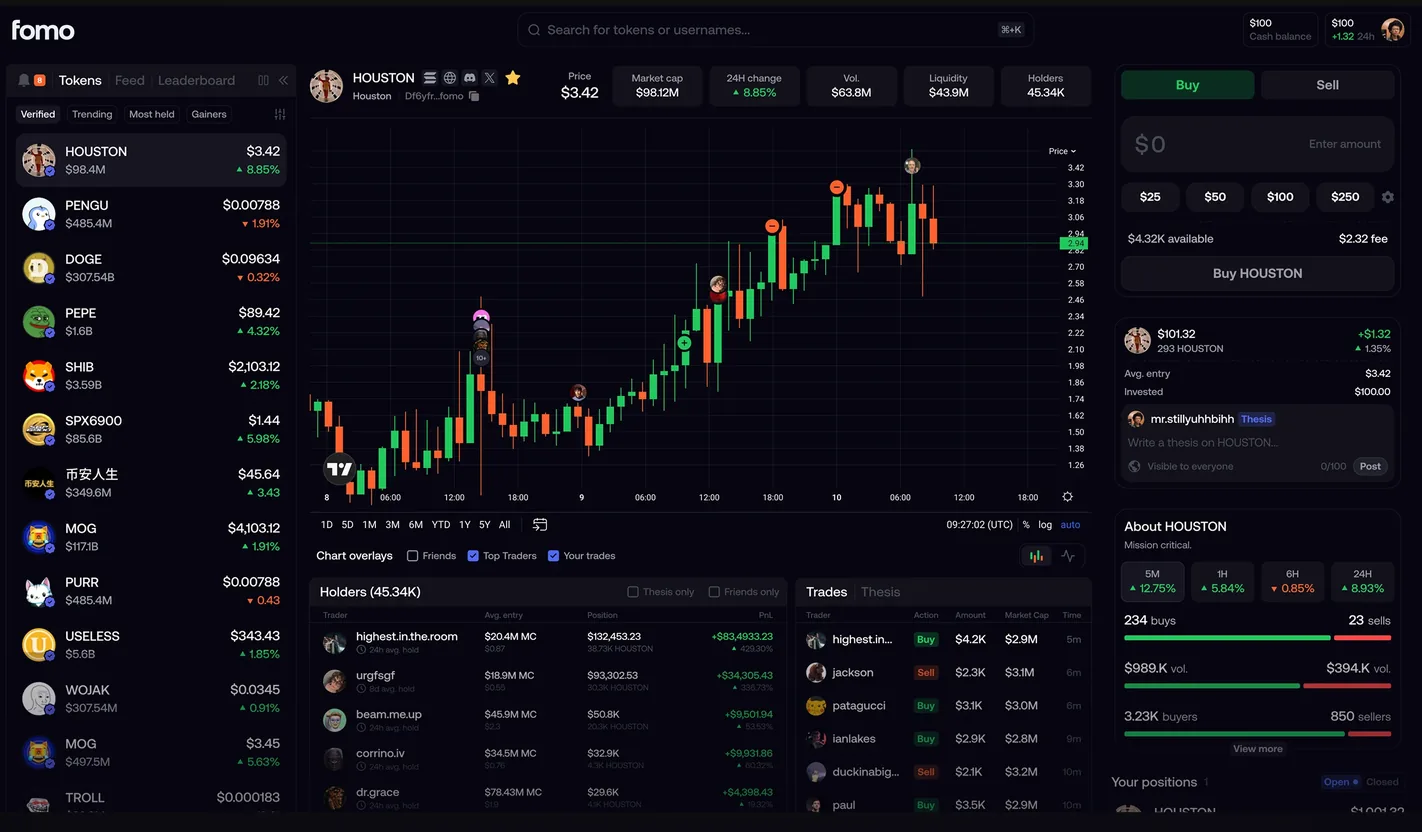
Since April 29, 2026 Fomo has a web version: log in with your existing account and you get the same profile, balance, positions and following list as on your phone. You can open a trade on your phone and close it on your computer. The web version uses a TradingView chart with indicators and drawing tools.
Since October 2026, the Discover page is the web version's main page: live token tables, a Watchlist strip and quick-buy buttons. You can put tables side by side, reorder columns, filter by liquidity, open a token in a floating window with chart, holders, thesis and swap panel, and click the launchpad icon to open the token's original page.
Perps: stocks, crypto, commodities
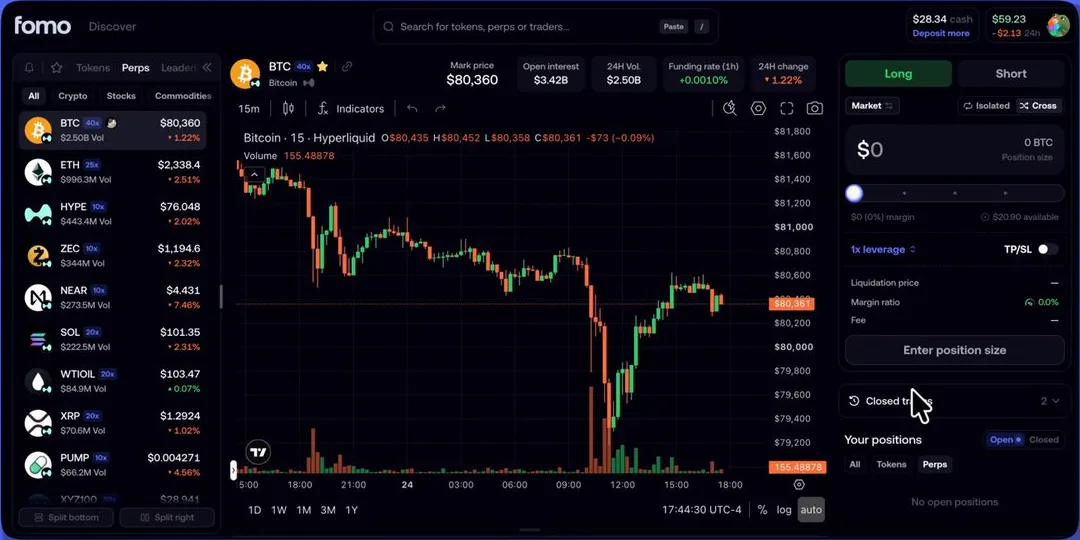
Perps arrived in the app on June 11, 2026 and on the web on October 25, 2026. They run on Hyperliquid and Trade.xyz, with more than 290 markets: pre-IPO stocks such as SpaceX, stocks such as NVDA, GOOGL and AMD, crypto such as BTC, ETH, SOL and HYPE, indices such as the S&P 500, Nasdaq 100 and Nikkei 225, and commodities such as oil, gold and silver.
You choose Long or Short and the leverage, and set TP/SL; perps positions show in the same portfolio as spot. The feed, leaderboard and profiles also show the perps positions of traders you follow.
One balance for every chain
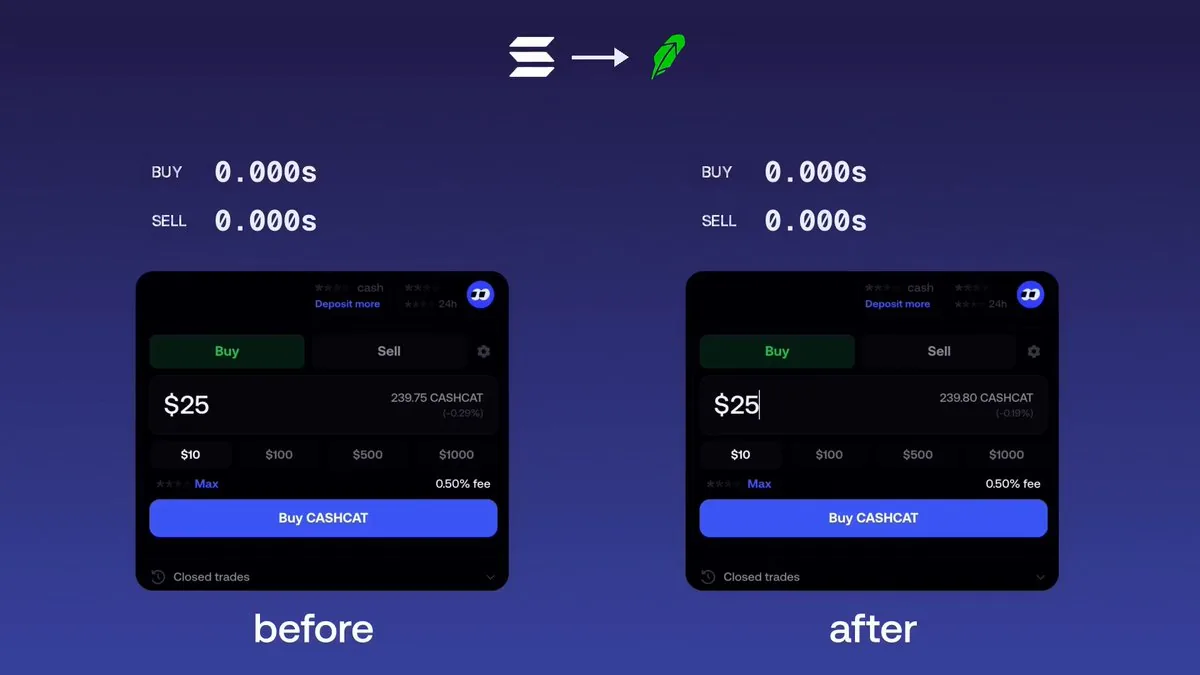
You deposit once and your USD balance works across every chain: see a token on Solana and buy it, see one on Base or BNB Chain and buy that too, without bridging yourself or holding ETH, SOL or BNB for gas. Fomo pays gas for you through a smart wallet (the ERC-4337 standard on EVM chains).
On October 22, 2026, Fomo opened fomo bridge to everyone, its own bridge that completes cross-chain trades in under 1 second. Fomo runs on Solana, Base, BNB Chain, Monad, Ethereum and Robinhood Chain.
Depositing and withdrawing
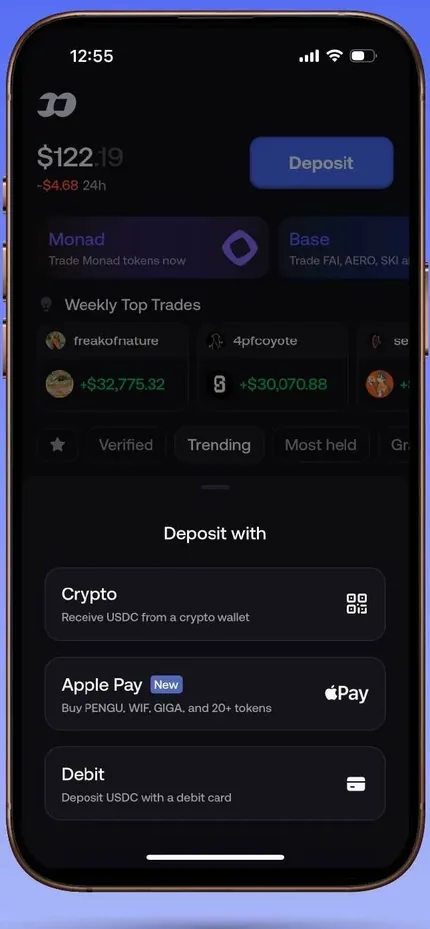
- Deposit with cryptoChoose Crypto, pick the chain and send USDC to the address or QR code shown. Only send USDC, on a supported network.
- Apple Pay, debit cardDeposit quickly with Apple Pay or a debit card; available methods depend on your region.
- Withdraw to a walletChoose Withdraw, Crypto, paste the wallet address that will receive the USDC and check the network; it arrives in seconds.
- Withdraw to a bankLink a bank account and withdraw; the money arrives in about 3 business days. Not every region is supported.
Profile and portfolio
The rightmost icon opens your profile: volume, followers, following, a portfolio chart over several timeframes, open positions and your full trade history. Tap your cash balance to withdraw.
Your profile is also what others see when they look you up on Fomo, and your trades can show up on your followers' feeds.
Referral link and Affiliate Program
Your referral link is in the app: open your profile and tap the gift icon at the top right. People who sign up through the link get 10% off fees (0.45% instead of 0.5%). The referrer earns a commission on each of their trades; Fomo doesn't state the rate on its Affiliate page, and outside sources put it at about 25%.
Content creators can apply to the Affiliate Program on fomo.family, and Fomo reviews each application. Once approved, you get a dashboard to track referrals and earnings; commission is earned on every trade, paid in real time to your Fomo account, with no cap, and higher tiers unlock higher rewards.
Fees and safety
Fomo charges 0.5% per spot buy and sell order, or 0.45% if you signed up through a referral link; small orders on Solana use fixed fee tiers. You don't pay gas separately because Fomo pays it for you, and the total cost is shown before you confirm a trade. Since October 16, 2026, fee rebates on Solana appear as "Trading rebate" in your transaction history.
- Non-custodial wallet: the private key is split into shards (Shamir's Secret Sharing) and only put back together inside secure hardware when signing, so Fomo can't withdraw or freeze your funds on its own.
- Your account is tied to your email or Apple ID: use a strong password and turn on 2-step verification for your email, because your email is the way into your Fomo wallet.
- Keep Face ID on: Fomo uses Face ID when opening the app, withdrawing and exporting the private key.
- Fomo never asks for your private key, password or recovery phrase by email, message or any other channel.
- Fomo still lets you buy any token, but it flags tokens that show signs of being malicious, and shows a token tax warning for launchpad tokens.
Get started with Fomo
- Open FomoGo through our link: no extra cost, and you get 10% off trading fees.fm.tradewizbot.pro
- Download the app or use the webDownload Fomo from the App Store or Google Play, or use it right away on fomo.family. Sign up with email, Apple ID or Google.
- Deposit a little, follow a few tradersDeposit a small amount with USDC, Apple Pay or a card, follow a few traders on the Leaderboard, turn on notifications and try small buys before adding more.
Screenshots taken on October 28, 2026; the interface may change. Not investment advice: memecoins are high-risk, only use money you can afford to lose.