
What is Moonshot? Main features and how to use it
Moonshot is an iOS and Android app for trading memecoins on Solana. You sign up with email and deposit with a card, Apple Pay or an exchange account. Besides memecoins, the app has tokenized stocks (xStocks), leverage up to 250x and coins on Robinhood Chain. Moonshot launched in 2024 and is aimed at beginners: swipe to buy, with no separate wallet or Telegram bot needed.
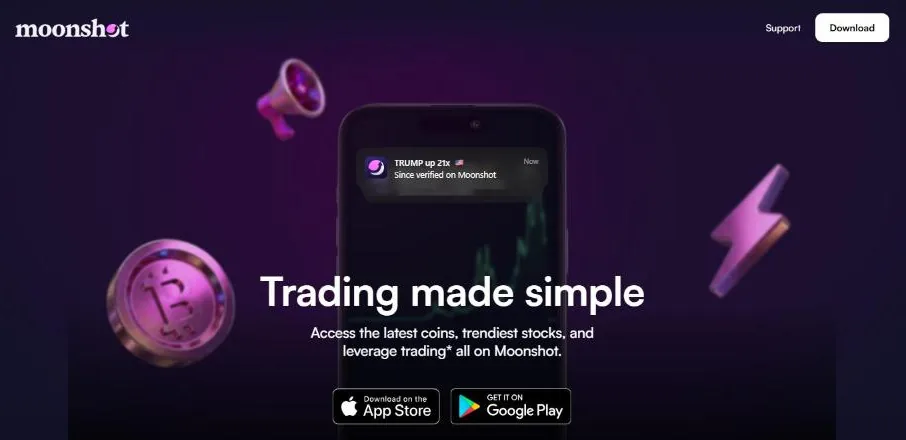
Moonshot: a mobile app for trading memecoins
Moonshot is an app first, not a web terminal or Telegram bot. Buying, selling, depositing and withdrawing all happen in the app; the moonshot.com website is mainly for the introduction, app downloads and public price pages of verified coins.
The app's bottom bar has five tabs:
- HomeThe coin search box and the Trending, Top Gainers, Top Market Caps and New lists.
- CreateBrowse coins created on Moonshot and create your own.
- PacksBuy random memecoin packs with a collectible card (US only).
- RewardsReferral rewards, bonuses and Moonshot's reward campaigns; details in the Rewards section below.
- HoldingsBalance, coins held, leverage positions, deposit, withdraw and send.
Account and wallet: sign up with email
Install the app, tap sign up, enter your email and the one-time code sent to it, then turn on Face ID or Touch ID. You don't need a recovery phrase or an existing wallet to get started.
When you create an account, Moonshot creates an embedded wallet on each chain through its partner Turnkey (MPC technology). According to Moonshot, this is a self-custody wallet: only you can approve transactions with your passkey, and Moonshot doesn't hold the keys and can't freeze or recover funds for you.
- Export your walletGo to Settings > Export keys to see your wallet address and export the Secret phrase, which you can import into another wallet such as Phantom.
- NotificationsSettings > Notifications to choose which alerts you get, for example when an Auto Sell order fills.
- Send to othersSend coins to a Solana wallet address or directly to a Moonshot username.
Depositing and withdrawing
Go to Holdings > Deposit, choose a deposit method available in your region, choose to receive USDC or SOL, enter the amount and swipe. Fiat deposits go through partners MoonPay, Coinbase, Robinhood, Binance and Revolut: card, bank transfer, PayPal, Venmo or Apple Pay, depending on the partner and region.
You can also send crypto on the Solana network straight to your wallet. With Cross-chain deposits, you can even send ETH, BTC, USDT or BNB from other networks; Moonshot converts them to USDC or SOL, for about 0.1% if only a swap is needed and about 0.25% if a bridge is needed.
Withdraw in Holdings > Withdraw: through MoonPay, Coinbase or Robinhood to a card or bank account, or send crypto to another wallet on Solana. The deposit and withdrawal partners charge their own fees.
Finding coins: Trending, verification and badges
Paste a contract address, name or ticker into the search box on the home screen. Only coins that pass an automatic safety check (Moonshot uses Blockaid) can be found and traded.
Trending ranks coins with an algorithm that favors coins with large, organic volume. Unverified coins can still appear on Trending but carry an orange warning label. To be verified, a coin needs to meet minimum 24-hour volume and market cap levels (from 1 million USD), have a strong community, and must pass the safety checks. The blue Official checkmark only means the coin is tied to a well-known person, brand or company.
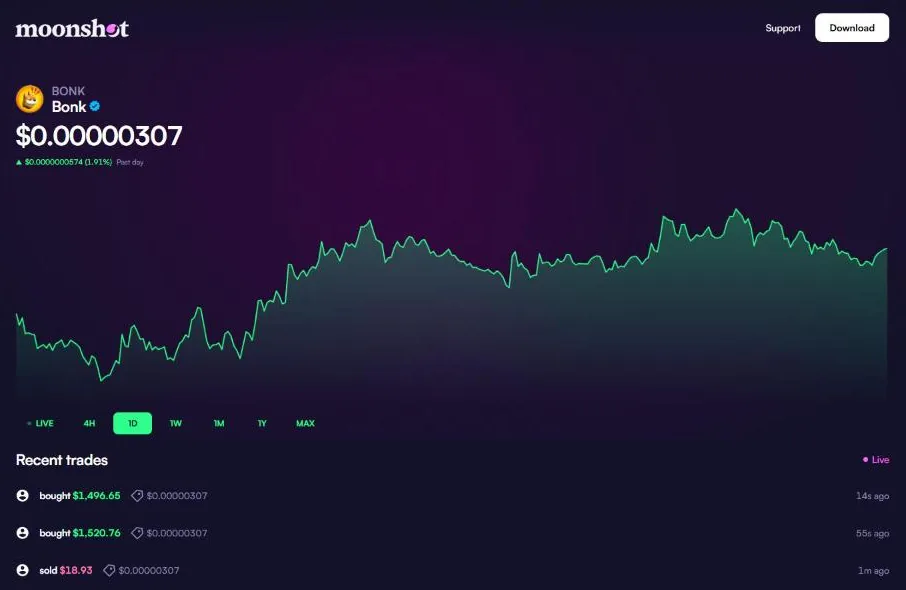
Trading: pick an amount and swipe
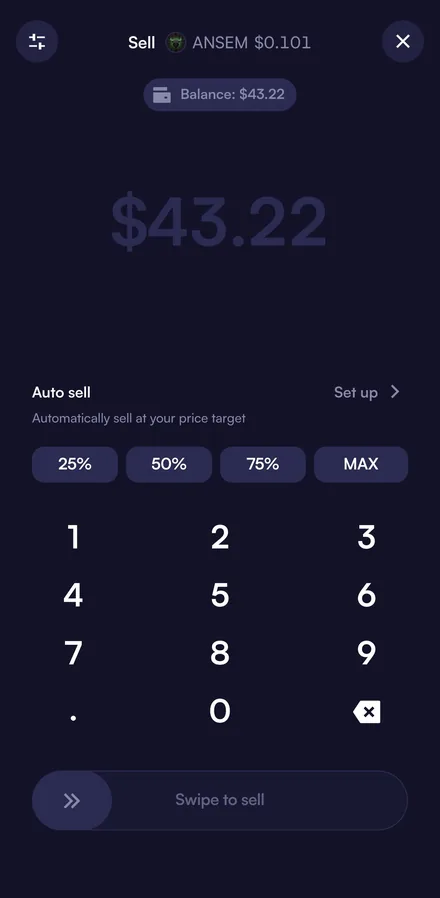
Open a coin, tap Buy, choose to pay with SOL or USDC, enter the amount and Swipe to buy. Selling works the same way: tap Sell, choose which coin to receive, enter an amount or tap 25%, 50%, 75% or MAX, then swipe.
Moonshot isn't an exchange: orders are routed through Jupiter to many DEXes for the best price. Before you confirm, the app clearly shows the Moonshot fee, the network fee and the price impact.
Default slippage adjusts automatically to volatility; tap the settings icon at the top left to set it anywhere from 0.5% to 20%.
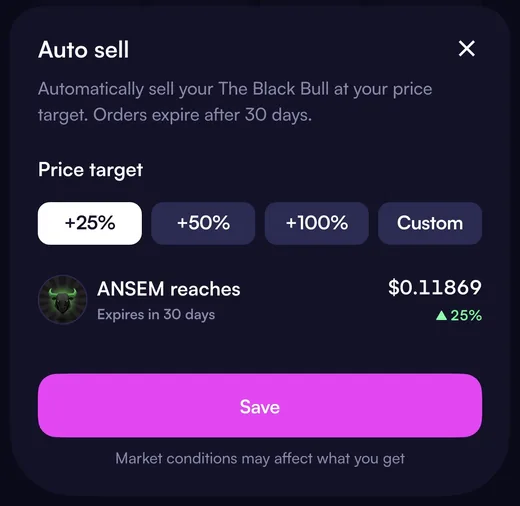
Auto Sell: take profit without watching the chart
Auto Sell is a preset take-profit order. Open a coin you hold, tap Sell and then Set up in the Auto sell section, choose the amount to sell, pick a target price (+25%, +50%, +100% or Custom), review and swipe. When the price hits the target, the app sells the whole set amount into USDC and sends you a notification.
Orders last 30 days, one per coin, with a minimum of 1 USD. Placing an order costs no gas; you can change the target or cancel at any time from the coin page or Activity (your activity history, opened from Holdings). The coin stays in your wallet, so you can still sell manually or send it.
xStocks: tokenized stocks
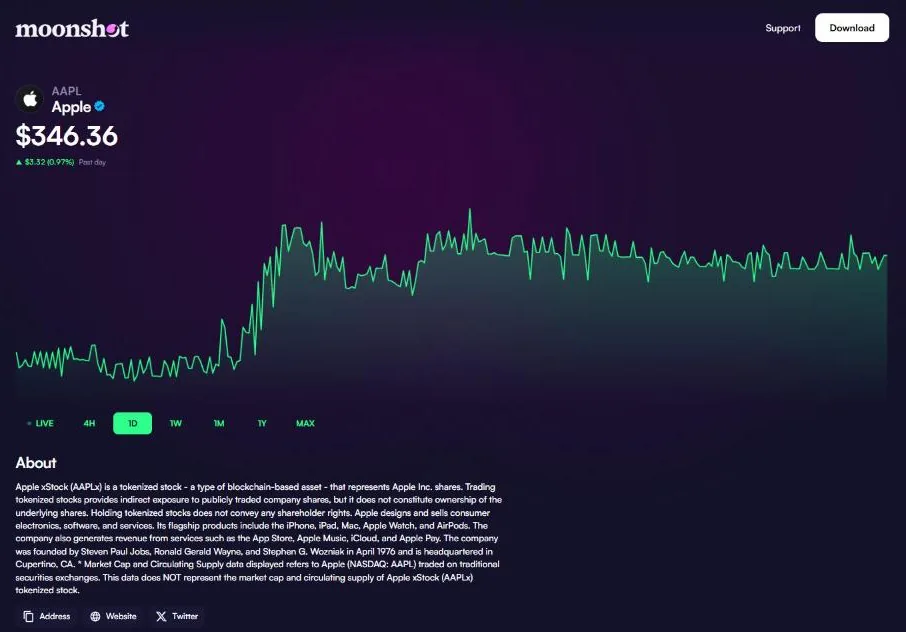
Moonshot lets you trade Backed's xStocks tokenized stocks: AAPLx (Apple), TSLAx (Tesla), NVDAx (Nvidia), GOOGLx, METAx, COINx, CRCLx and MSTRx, plus the QQQx and SPYx funds. Each token is backed 1:1 by real shares and tracks the share price, trades 24/7, and can be bought in fractions.
Orders fill on Jupiter; the tokens sit in your wallet and can be moved or used in DeFi like any other coin. xStocks holders only get the price exposure: no shareholder rights, no voting, no direct dividends.
Leverage: long and short up to 250x
The leverage section offers perpetual contracts: place a Buy (long) if you think the price will rise, or a Sell (short) if you think it will fall, then enter an amount or drag the leverage slider. Moonshot allows up to 250x on SOL, ETH and BTC; for now, opening orders are market orders. Positions are in Holdings > Leverage; choose a position to close it.
- FeesOpening or closing a position costs 0.20% for 5–100 USD orders (minimum 0.25 USD) and 0.10% for orders over 100 USD. There's also a borrowing fee that compounds hourly, paid when you edit or close the position.
- Margin alertsThe app alerts you when margin drops below 50% (warning) and below 25% (danger); at 0% the position is liquidated automatically.
- Who can use itNot available to people in the US, Canada, the UK and some other regions; using a VPN to get around this breaks the terms.
Coins on Robinhood Chain
Moonshot is built on Solana, but has added coins on Robinhood Chain, Robinhood's layer 2 network built on Ethereum with Arbitrum technology, live since July 1, 2026.
According to Moonshot, you trade these coins right in the app like Solana coins, without bridging yourself or paying transfer fees. Note that Auto Sell doesn't support Robinhood Chain coins yet.
Create: launch a memecoin right in the app
The Create tab lists coins created on Moonshot in the groups Trending, Top, Active, New and Yours (your coins). Tap Create to make a coin: enter the ticker, name, image and description; you can add a website, an X account and up to 4 images or videos (1 video of 30 seconds).
Set how much to buy at creation and your creator fee share, then Swipe to Create. Creating a coin costs 10 USD, payable only in USDC.
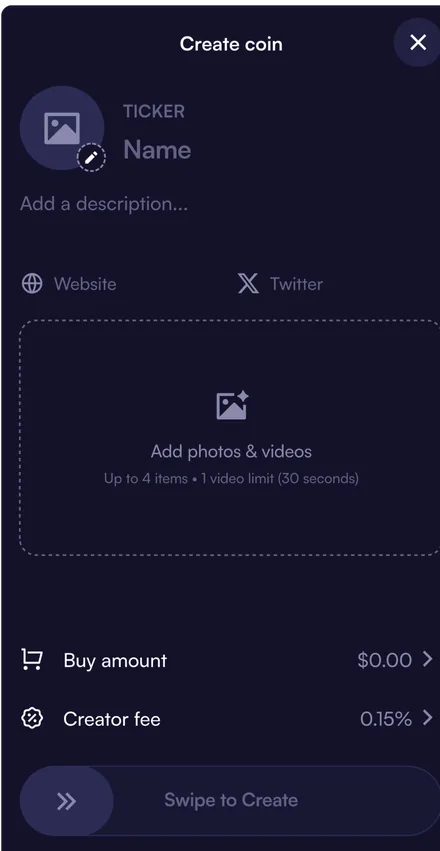
- Coin feesEvery trade of a coin created on Moonshot carries a 0.5% fee before graduation and 0.3% after. The creator gets up to half: 0.25% before and up to 0.15% after, paid hourly once the balance is over 1 USD.
- GraduationWhen a coin reaches a 1 million USD market cap, it moves from the bonding curve to a full liquidity pool (Meteora DBC) and gets the purple Created on Moonshot badge.
Packs and Collect
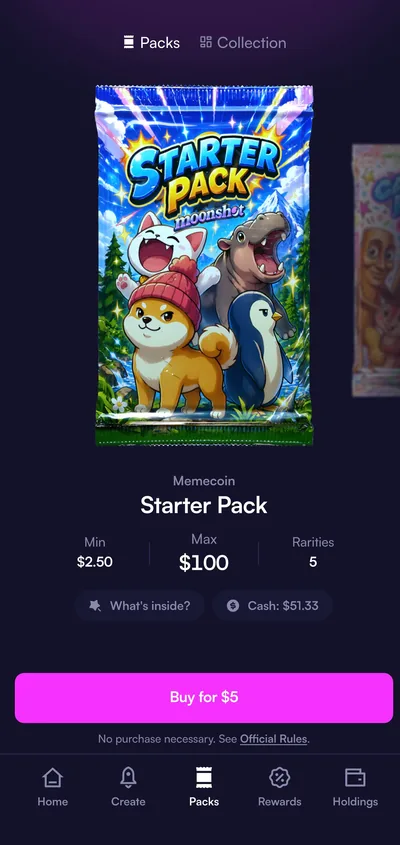
Packs are memecoin packs: buy a pack and open it to spin for a random rarity (Common to Mythical) and get a matching amount of coins, plus a collectible card tied to those coins. There are 7 pack types, each with its own odds. If you sell or send some of the coins, the card is lost. Packs are only for people in the US, excluding some states.
Collect is a virtual claw machine with real graded Pokémon cards, provided by Collector Crypt and kept in a vault. For 3 days after a pull you can sell it back instantly (currently for at least 85% of its insured value), keep it, or pay to have it shipped to you.
Rewards: refer friends and bonuses
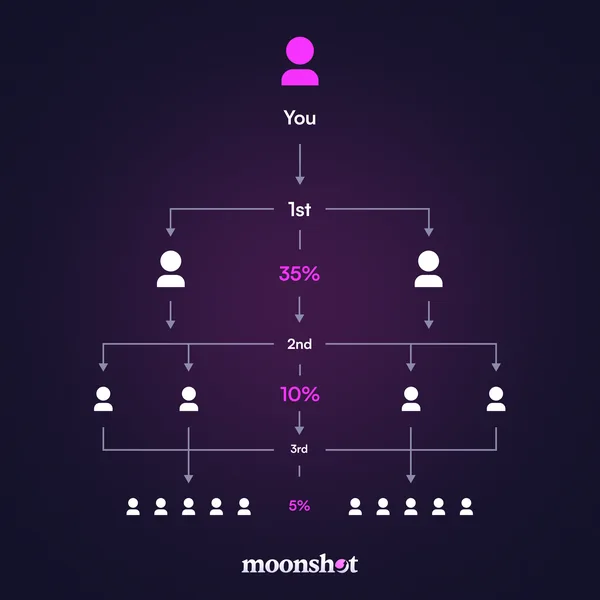
Moonshot's referral program has three tiers: you get 35% of the trading fees of people you invite directly, 10% from the people they invite and 5% at the third tier. Rewards are paid in USDC, under Moonshot's terms.
There is also a free memecoin bonus for both sides when the invited person signs up on iOS through the link, in the US or Singapore, and deposits with fiat, while spots last. Invited users don't get a fee discount.
Fees and safety
Moonshot's fee depends on order size: 2.5% for orders from 2 to 100 USD (minimum about 0.99 USD) and 1% for orders of 100 USD or more. On top of the Moonshot fee there are network fees and routing fees paid to third parties; the app shows the details before you swipe. Sending coins carries no Moonshot fee, and deposit and withdrawal partners charge their own fees.
- Never give your recovery phrase or login code to anyone, and never paste them into any website. Moonshot support will never ask for them.
- Moonshot doesn't send login alert emails or emails with links. Emails like that are scams; don't click.
- Watch out for fake "giveaways" on social media that ask you to send money to "verify your wallet", and for strange airdropped coins that lead to links outside the app.
- Deposit, withdraw and send on the correct Solana network (except the cross-chain deposit flow); double-check addresses, because transactions can't be reversed.
When we checked (October 28, 2026), we found no reports of hacks or lost funds involving Moonshot.
Get started with Moonshot
- Download MoonshotGo through our link, at no extra cost.moonshot.tradewizbot.pro
- Sign up with emailEnter your email and the code sent to it, then turn on Face ID or Touch ID. After that, go to Settings > Export keys and store your recovery phrase.
- Deposit a little, start smallDeposit with a card or Apple Pay, or send USDC or SOL on Solana. Orders under 100 USD carry a 2.5% fee, so factor that in before making many small buys.
Screenshots taken on October 28, 2026; the interface may change. Not investment advice: memecoins are high-risk, only use money you can afford to lose.