
What is Photon? Main features and how to use it
Photon (photon-sol.tinyastro.io) is a web-based memecoin trading platform from the Tiny Astro team, built specifically for Solana: hunt new tokens on Memescope, buy and sell in one click, place limit orders, track wallets and X accounts. The Photon web app for Solana has been live since January 2024, with no app or Telegram bot to install.
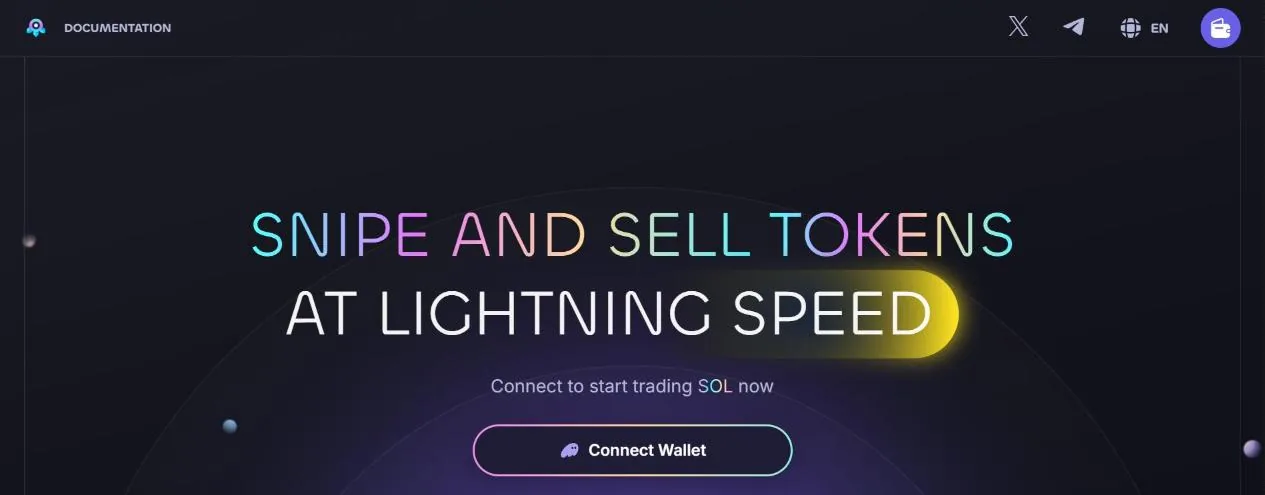
What is Photon
Photon is made by the Tiny Astro team. It launched its Solana web app in January 2024 under the name Photon HyperSpeed, aimed at the problem of slow data that kept traders hitting refresh over and over. Everything runs in the browser: data updates in real time, and orders are sent from the trading wallet Photon creates for you.
The Photon SOL menu bar has New Pairs, Trending, Memescope, Tracker, Orders and Portfolio, plus a search box for tokens, pool (LP) addresses or wallets. Besides the Solana version, Photon has a separate version for BNB Chain (Photon BNB) with a similar Memescope and multi-wallet setup.
Memescope: catch tokens the moment they're born
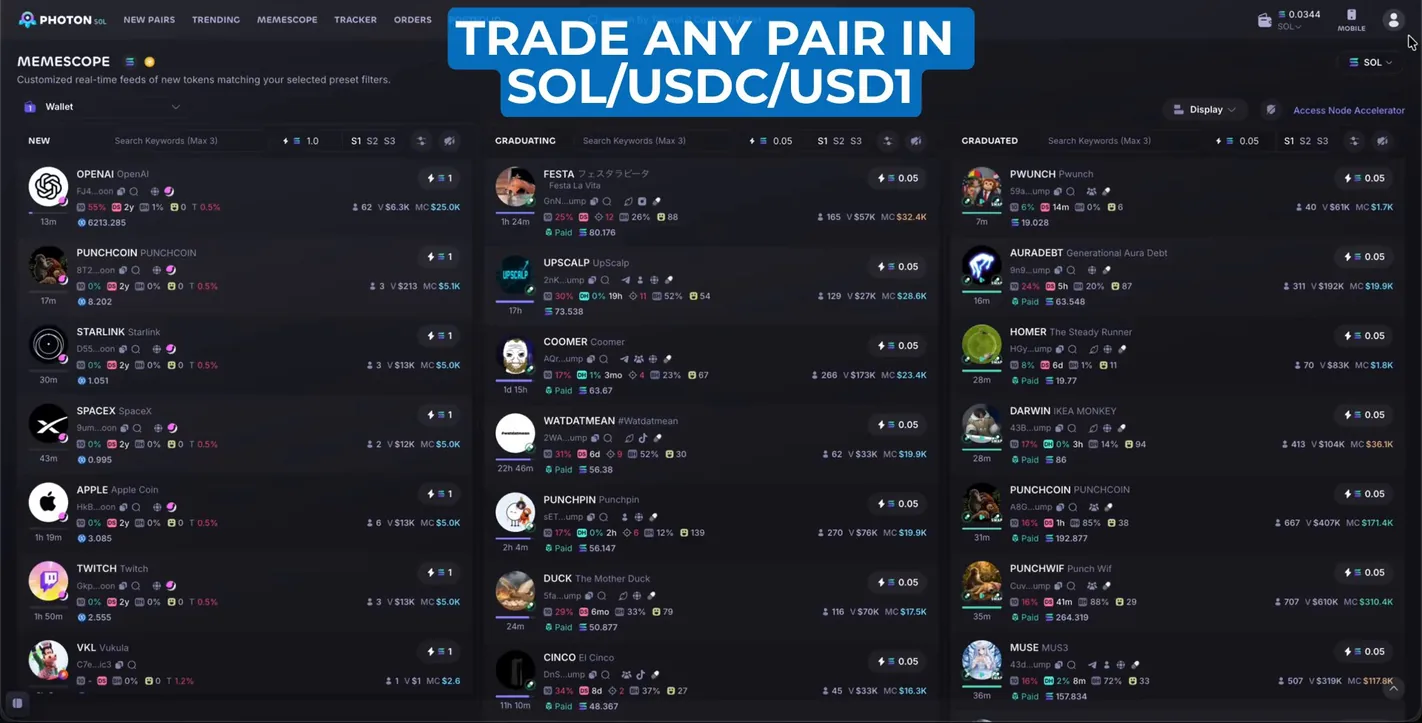
Memescope shows streams of new tokens matching the filters you pick, split into three columns: New (just created), Graduating (bonding curve almost full) and Graduated (already on a DEX). Each column has a search box for up to 3 keywords, a SOL amount box for the Quick Buy button and 3 filter presets S1, S2, S3 to switch quickly. This is also how you snipe new tokens on Photon: preset the SOL amount, and click buy the moment a token appears.
Since Memescope 2.0 (May 2025), you choose which metrics show on the cards, filter by socials and website, turn on a separate sound alert for each column, block devs and filter by token check results. Later versions added the funding source of the dev wallet and support for many launchpads such as Pump, LetsBonk, Moonshot, Jupiter Studio, Wen.dev, Meteora DBC and Stonk.
New Pairs, Trending and search
New Pairs lists freshly created trading pairs, and Trending ranks tokens by recent trading activity. Both have a quick buy button right on each row.
Photon rebuilt its search in June 2025: a filter for junk tokens, an Originator button to filter out copycat tokens, an automatic warning when a pool holds less than 5 SOL, sorting by the key metrics, automatic hiding of tokens that no longer trade, and quick buys straight from the search results.
Token page: chart, holders and Data & Security
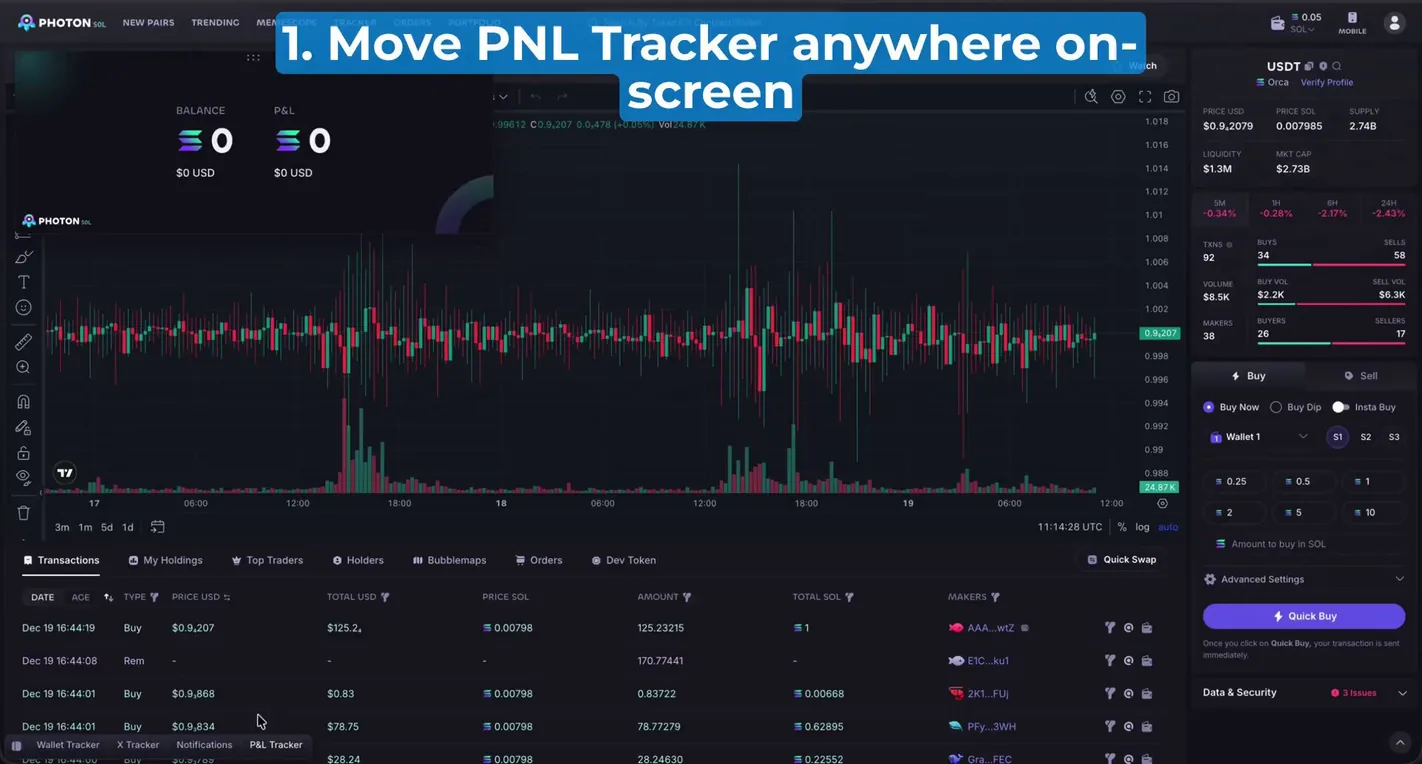
The token page has a TradingView chart in the middle, the buy/sell panel on the right and tabs below: Transactions, My Holdings, Top Traders, Holders, Bubblemaps, Orders, Dev Token. The Data & Security panel shows how many issues Photon found with the token; click it for the details.
The chart can mark KOL trades (July 2026), the moments the dev claimed fees and the point the token migrated. Photon also shows the token's total trading fees and the average buy and sell price of the wallet group you filter.
Trading: Quick Buy, Buy Dip and limit orders
- Buy Now and Quick BuyPick a wallet, choose a preset SOL amount (such as 0.25, 0.5, 1, 2, 5, 10 SOL) or type your own, then click Quick Buy: the order goes out right away, with no confirmation step. This quick buy button is in Memescope, New Pairs, Trending and the search results.
- Buy Dip and limitSet a price to buy or sell at; pending sell orders above and below your entry price are your take profit and stop loss. You can have several limit orders of the same type open at once; pending orders are under Orders.
- Sell by percentageUp to 6 preset sell percentage buttons, along with your average sell price.
- Presets S1, S2, S3Three presets to switch your buy settings quickly; fine-tune details like slippage and priority fee in Advanced Settings.
- Trade with stablecoinsSince February 2026 you can buy and sell with SOL, USDC or USD1 on every quick trade button; since September 2026 there are more than 400 quote pairs.
Multi-wallet, Bundle Send and anti-MEV
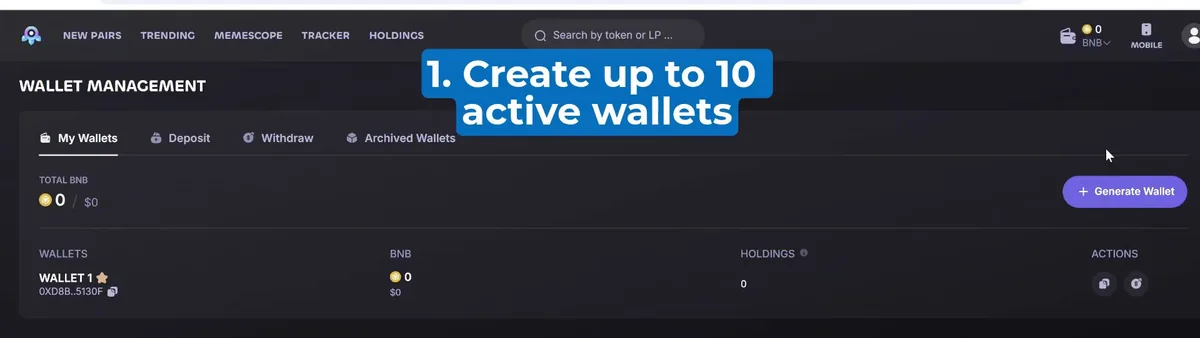
In Wallet Management you create extra wallets with Generate Wallet, deposit, withdraw and archive wallets you don't use. Photon lets you split funds evenly or by any amount from one wallet to many, buy and sell one token with several wallets at once, split a token position across several wallets and bring tokens from many wallets together on one screen.
Bundle Send (August 2025) sends the orders of several wallets as one transaction, for a better price and less chance of copy bots cutting in. At the same time Photon added Max Secure mode to protect against sandwich attacks (MEV).
Tracker: follow wallets and X accounts
The Tracker section has Wallet Tracker (alerts on trades by the wallets you add, and you can export the wallet list) and X Tracker (new posts from the X accounts you follow). The bar at the bottom of the screen also has Notifications and P&L Tracker.
Since Snap 2.0 (July 2025), the Wallet Tracker, X Tracker and Notifications panels pop out into floating windows you can place anywhere on the screen, so you can watch the chart and see what your tracked wallets are doing at the same time.
Portfolio and P&L Tracker
Portfolio (new version September 2025) analyzes any wallet: profit and loss, token win rate and average holding time over 1, 7, 14 or 30 days, plus a daily P&L calendar, a daily trade summary and a button to download the P&L calendar to share.
P&L Tracker (December 2025) records each trading session: click start and stop, choose one or more wallets to count, review the results of your recent sessions and share a P&L card. The tracker panel can be dragged anywhere on the screen.
Fees and safety
Photon doesn't publish its fee in its public docs; the fee shows in the order panel before you buy, and outside sources put it at 1% per buy and sell order. On top of that you pay Solana network fees (priority fee, tip) and the fee of the launchpad that issued the token. Photon's referral program only earns ranking points; there is no fee rebate or discount for referred users.
- Only go to the real photon-sol.tinyastro.io. In late 2025, fake Photon websites and apps appeared that tricked users into connecting their wallets and then drained them; Photon itself was not hacked.
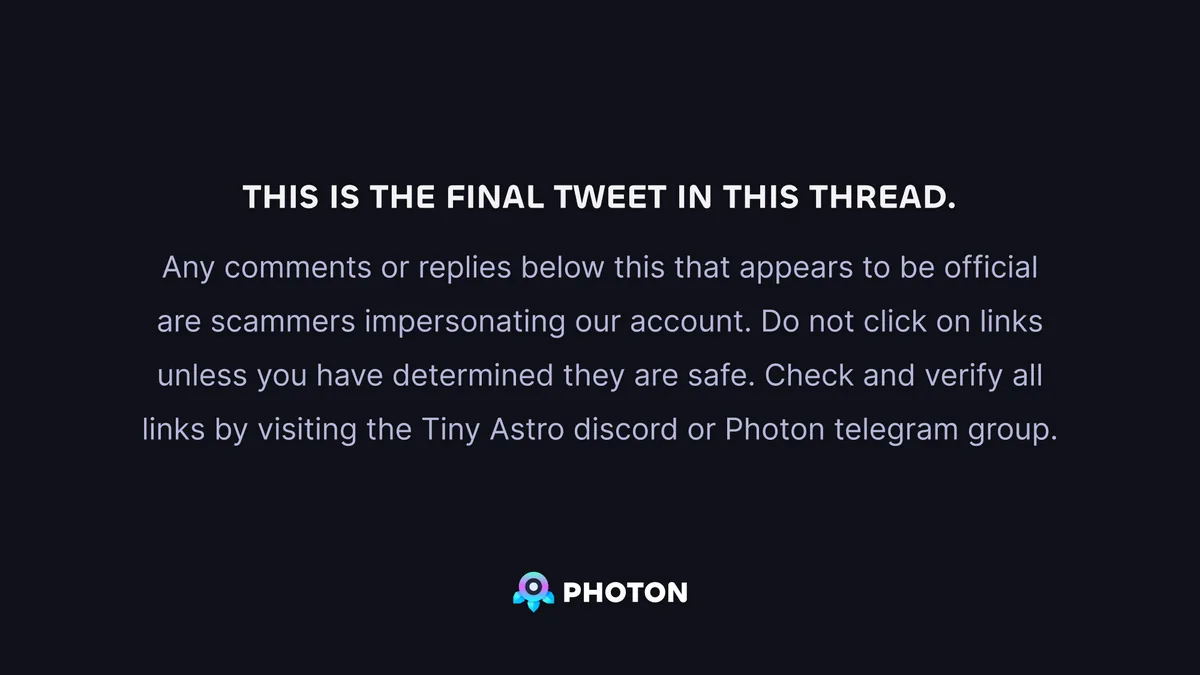
- Photon warns that comments under its posts that look like the official account are usually impersonators. Check links through the Tiny Astro Discord or the Photon Telegram group before clicking.
- Turn on Max Secure when buying new tokens to lower the risk of getting sandwiched.
- The trading wallet signs orders for you: keep only the funds you plan to trade with, and move profits to your own wallet.
Get started with Photon
- Open PhotonGo through our link, at no extra cost.photon.tradewizbot.pro
- Log in with your walletClick Connect and sign with your Phantom wallet to log in (free). Photon creates a separate Solana trading wallet for you; to add more wallets, go to Wallet Management and click Generate Wallet.
- Deposit a little SOL, start smallDeposit SOL through Deposit, set a small Quick Buy amount, turn on Max Secure, then try Memescope before adding more funds.
Screenshots taken on October 28, 2026; the interface may change. Not investment advice: memecoins are high-risk, only use money you can afford to lose.