
What is Terminal (Padre)? Main features and how to use it
Terminal (trade.padre.gg), formerly called Padre, is a web terminal for trading memecoins: hunt new tokens, track wallets and X, set automatic orders and trade with several wallets at once. Pump.fun acquired Padre in October 2025 and renamed it Terminal. Terminal runs on Solana, Ethereum, BNB Chain, Base and Robinhood Chain.
From Padre to Pump.fun's Terminal
Padre started out as a multi-chain memecoin trading terminal. On October 24, 2025, Pump.fun announced it had acquired Padre to boost liquidity for tokens on its platform, and later renamed the product Terminal. The address is still trade.padre.gg, and the official X account is @TradingTerminal.
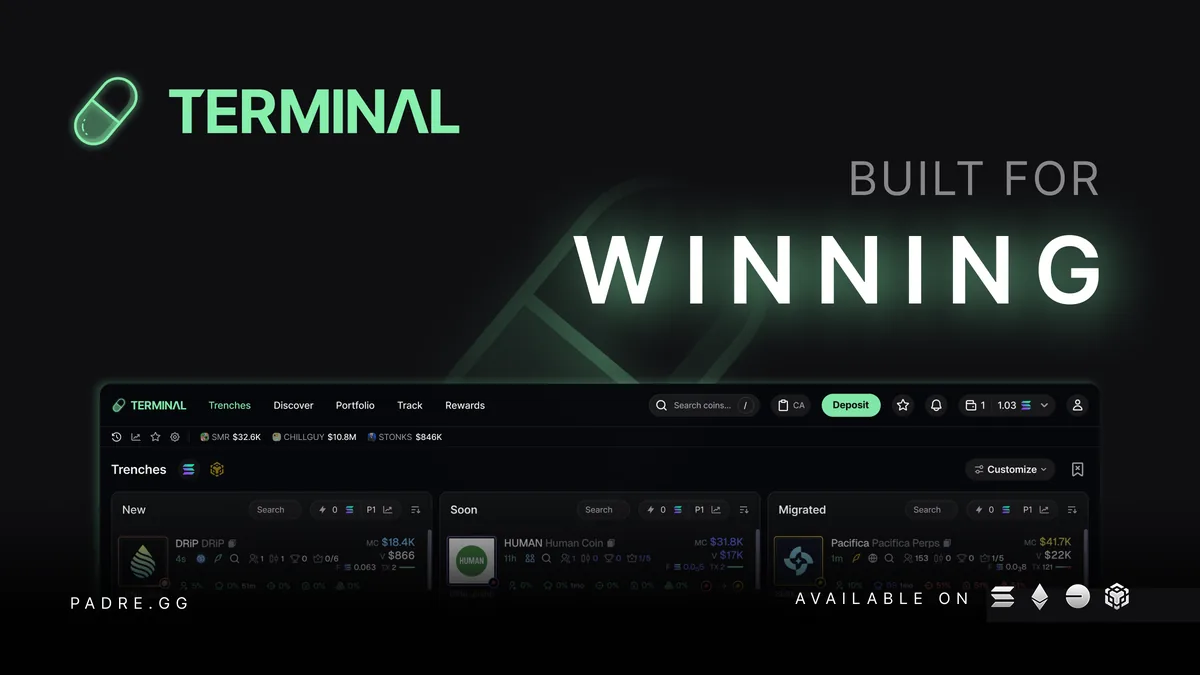
Terminal's main menu has five items: Trenches, Trending (Terminal's promo image calls this item Discover), Portfolio, Track and Rewards. Most tools can also be opened as floating panels (widgets) on screen: Watchlist, Wallets Tracker, PnL Tracker, Feed (X posts), Trenches, Trending and Alpha Tracker.
Trenches: catch tokens the moment they launch
Trenches is the default page, splitting new tokens into three columns: New (just created on a launchpad), Soon (bonding curve almost full) and Migrated (already in a DEX pool). Each column has a keyword search, a quick-buy amount box, the P1 preset and its own filters; the Customize button changes the layout, and the chain button switches between Solana and BNB Chain.
Since July 2026, Tracked Dev Highlights lets you track individual dev wallets right on Trenches and color them as you like, so new tokens from devs you're watching stand out among hundreds of others. Conversely, you can block devs or X accounts you no longer want to see.
Trending and the token page
Trending ranks the tokens with the most trading activity. The October 1, 2026 update refreshed this page and added volume figures per trading platform, so you can see where the money is coming from.
Click a token to open the trading page: chart, trade history, holders, top traders and the order panel alongside. Since October 2026, Terminal shows Arkham wallet labels across the platform, so you know which wallets belong to exchanges, funds or identified entities. The search box accepts a name, ticker or token address, with a button to paste a contract address (CA) from your clipboard.
Order panel and automatic orders
- Instant tradeOne-tap buys and sells with preset amounts and percentages, which you can bind to hotkeys.
- Limit, Dip, BreakoutPending price orders: Dip buys when the price falls to your level, Breakout (added on October 1, 2026) buys when the price rises above it.
- TP/SL and trailingTake profit, stop loss, and a trailing stop loss that follows the price.
- DCASplit a buy into several smaller ones; DCA orders run on a single wallet.
- Migration Snipe, Dev SellOrders timed to the moment a token migrates to a DEX, or sell orders tied to the dev wallet selling.
- Price AlertsAlerts you when the price hits a level you choose.
- USDC modePlace orders denominated in SOL but pay in USDC, avoiding SOL price swings; not every token supports it.
Track: follow wallets, devs and X
The Track section gathers the tracking tools. Wallets Tracker alerts you every time a wallet you follow buys or sells; you can name wallets, add private notes, mute alerts per wallet, and since October 1, 2026 bulk-import many wallets at once. Feed follows X accounts: add any account (it takes about 1 minute to start), and new posts appear right in Terminal.
KOL wallets and Arkham-labeled wallets are marked, so big wallets buying the token you're looking at are easier to spot.
Multiple wallets, Fortify and MEV protection
- Many wallets, one orderPick several wallets to trade at once, create wallet groups, consolidate tokens into one wallet or split them across several, and archive wallets you don't use.
- FortifyProtects buys using up to 4 wallets, making it hard for copy bots to slip in between; needs a tip of 0.001 SOL or more and slippage of 10% or more.
- Trusted leaders onlyMulti-wallet buys wait for a trusted validator before being sent; requires MEV protection on and a tip of 0.001 SOL or more.
- Priority fee and tipSet the priority fee, tip and slippage yourself, or apply Terminal's recommended settings with one click.
Portfolio and PnL Tracker
Portfolio shows your open positions, trade history, pending orders and transfers; the Wallets section manages your wallets, withdrawal wallets and each wallet's balance. PnL Tracker counts your profit and loss right on screen, and you can reset it to zero at any time.
PnL cards can be shared and their background changed, and Terminal also has a tool that turns a PnL card into a video with background music to post on social media.
Rewards: fee rebates and referrals
The Rewards page collects your fee rebates (cashback) and referral rewards; click claim to withdraw to your wallet once you reach the minimum. By default Terminal refunds 10% of fees; anyone who signs up with any referral code gets 35% back (Terminal calls it "35% off fees", announced October 1, 2026). Referrers earn a tiered commission on the fees of people they invite, up to 40%.
Rewards also has reward spins and credits.
Chains, web app and mobile
The padre.gg site lists support for Solana, Ethereum, BNB Chain and Base; the app also has Robinhood Chain. Besides a Phantom wallet, you can log in with a MetaMask wallet.
The web version can be added to your phone's home screen and opened like an app. On mobile, if you log in with Phantom, open Terminal in the Phantom app's built-in browser.
Fees and safety
Terminal charges 1% per buy and sell order, refunding 10% through Rewards, or 35% if you sign up with a referral code. On top of that you pay network fees (priority fee, tip) and the fee of the launchpad that issued the token.
- Only go to the real trade.padre.gg (or our link) and get news from the @TradingTerminal X account; bookmark the address instead of finding it through ads.
- Never give your private key or recovery phrase to anyone, including people claiming to be Terminal or Pump.fun support.
- Report bugs and ask for help with the Report bug button in Terminal or in the official Discord.
- The trading wallet signs trades for you: keep only the funds you plan to trade with, and move profits to your own wallet.
Get started with Terminal
- Open TerminalGo through our link, at no extra cost.padre.tradewizbot.pro
- Log inUnder Continue with, pick a login method such as a Phantom or MetaMask wallet or a Pump.fun account, then complete the anti-bot check. Terminal creates a trading wallet for you.
- Deposit a little, start smallClick Deposit to add SOL (or the gas token of the chain you use), turn on MEV protection, then try Trenches with small amounts before adding more.
Through our referral link, at no extra cost.
Screenshots taken on October 28, 2026; the interface may change. Not investment advice: memecoins are high-risk, only use money you can afford to lose.
Callouts and Lobbies
Callouts let you post a call on a Solana token right in Terminal; to post, you must hold at least 1 USD of that token, and each token can only be called once. Calls can be sent to one or more Lobbies, shared trading groups where members see each other's calls and trades.
You can also follow other users and update your Pump.fun profile directly from Terminal.