
What is SolPump? Main features and how to use it
SolPump Terminal (trade.solpump.io) is a memecoin trading terminal on Solana that runs in the browser on desktop and mobile. What sets it apart is Autobots: automatic buying and selling based on Telegram call channels, individual callers or good wallets. The terminal was launched on May 19, 2026 by the SolPump team, who also run the on-chain casino solpump.io and the $SOLPUMP token.
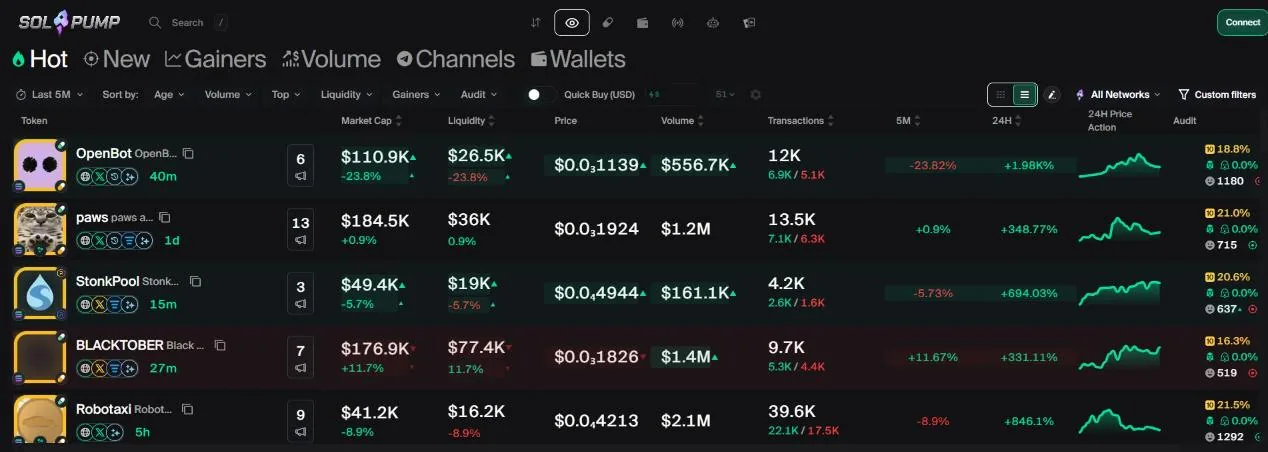
SolPump Terminal: SolPump's trading terminal
SolPump is best known as an on-chain casino on Solana (solpump.io) with the $SOLPUMP token. On May 19, 2026, the team launched SolPump Terminal at trade.solpump.io with three main selling points: auto-trading on any call channel, live stats for each channel, and copy trading.
The terminal's menu bar has Terminal, Scanner, Memepool, Wallets, Trackers, Autobots and Casino (which leads to the casino), plus Watchlist and Rewards. The terminal runs on Solana only; after the September and October 2026 updates it added wallet rankings, X tracking, automatic take profit and stop loss, and a drag-and-drop layout.
Scanner: new tokens second by second
Scanner has table tabs Hot, New, Gainers, Volume, Channels and Wallets, sortable by age, volume, liquidity and gains.
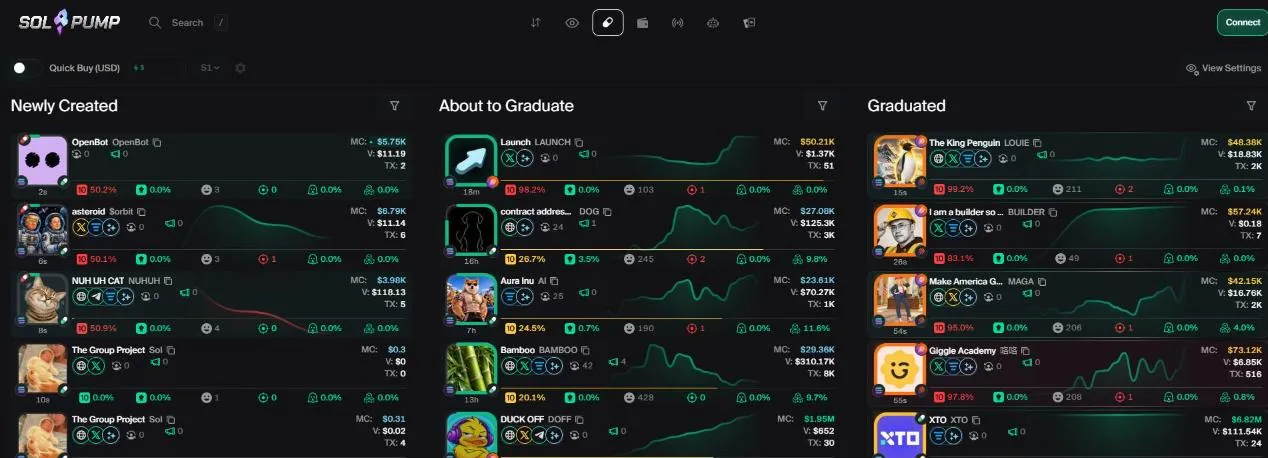
Memepool (the Pump.fun tab in Scanner) splits tokens into three columns by stage: Newly Created, About to Graduate (bonding curve almost full) and Graduated (already in a DEX pool), across launchpads such as Pump.fun, PumpSwap and Raydium LaunchLab. Each column has its own filters: market cap, top 10 share, dev wallet, number of snipers, X follower count…
Since the October 2026 update, you choose which metrics, which risk signals (snipers, bundlers, insiders, whether DEX Screener has been paid) and which buttons show on the token cards, and drag and drop to arrange them. There is a quick buy button right on the card and a block list for devs or X accounts you don't want to see.
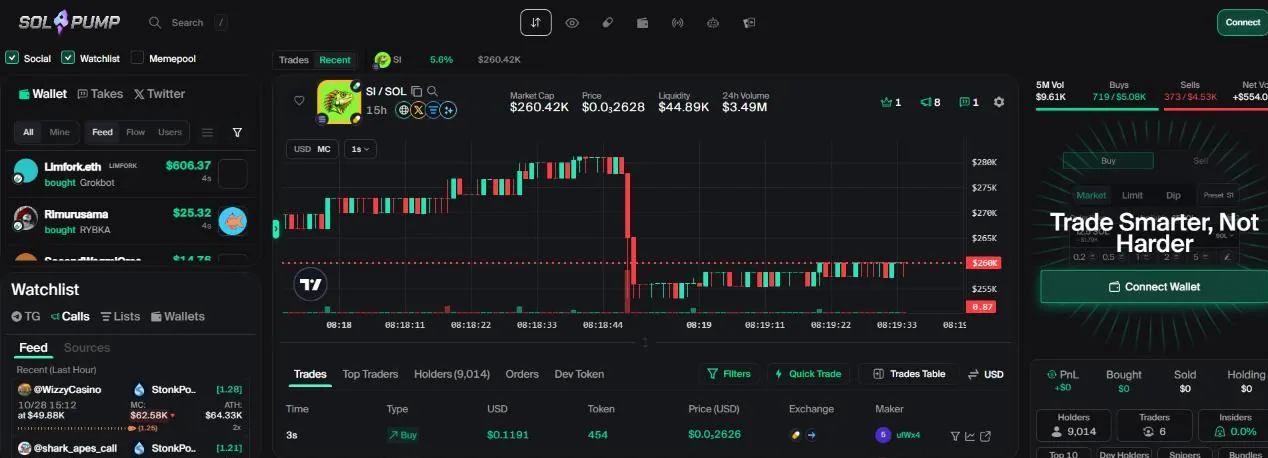
Token page: chart, holders and order panel
Click a token to open its Terminal page: a candlestick chart, buy and sell history, holders, traders, the number of snipers, bundles and insiders, and the percentage the dev wallet holds. The safety panel tells you whether the token can still be minted (Mintable) or wallets frozen (Freezable), whether the pool is burned, whether there are honeypot signs, and the buy and sell taxes.
The chart marks buys and sells (filterable by order size or just your wallet) and Takes (traders' views on the token). The order panel next to it has Market and Limit, plus quick buy and sell buttons.
Limit orders, take profit, stop loss and anti-MEV
- LimitPlace a buy order for when the price drops by a set percentage, or when market cap hits the level you choose.
- Take Profit, Stop LossAttach take profit and stop loss to a position, including a Trailing Stop Loss that moves your stop up with the price peak. These levels show as lines on the chart; drag them to adjust.
- PresetsPreset buy amounts and sell ratios, add rows of buttons, show amounts in SOL or USD; adjust gas and slippage.
- Anti-MEVThe Bribe field is a tip to validators so your order takes a route protected from sandwich attacks. The terminal shows suggested priority fee and bribe levels based on network conditions.
- Multi-hop routingSince October 2026, orders can route through several pools for a better price, and you can trade tokens with unusual pairings, such as an NVIDIA/PEPE pair.
Autobots: auto-trade call channels
Autobots is what sets SolPump Terminal apart. You pick a signal source, set your buy and sell rules and switch it on; every time that source calls a token, the bot buys according to your rules.
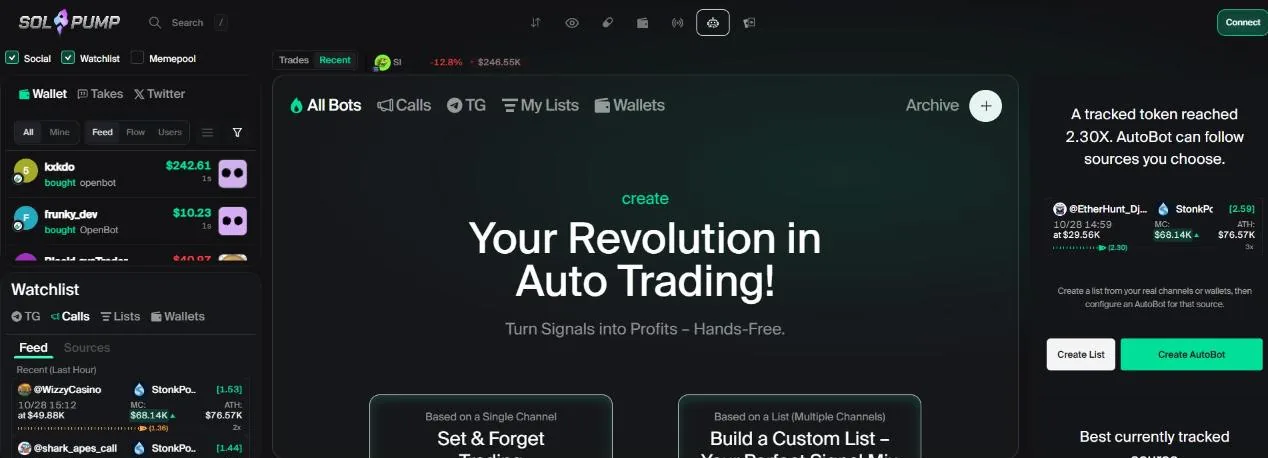
- One channelChoose a call channel or an individual caller. Click Connect your Telegram to also use the Telegram channels you have joined.
- ListsGroup several channels and wallets into a list to keep the good signals and drop channels that often call wrong, then create one bot that runs on the whole list.
- How it buysBuy the moment the channel calls, or wait for the price to drop by a percentage first; set the amount per trade.
- Source rankingsThe Performance Ranking section ranks channels and callers by win rate and profit, showing which sources are doing best right now.
Each bot has its own page: pending orders, filled orders, a log and PnL. Click Stop or Start to pause or restart it; stopped bots go to Archive.
Copy trade: follow good wallets
Inside Autobots, the Copy Top Wallets section lets you create a wallet copy bot: paste the address of the wallet you want to follow, then set how it buys and sells.
- How it buysA fixed amount; in proportion to the source wallet's trade; or a percentage of your wallet balance.
- How it sellsTurn on sell copying: sell the same share the source wallet sells, or sell a percentage of your position. Setting 0 skips that sell and stops copying sells for this position.
- Automatic exitsAttach take profit, stop loss and trailing stop loss to every position the bot opens.
Wallets: wallet rankings and tracking
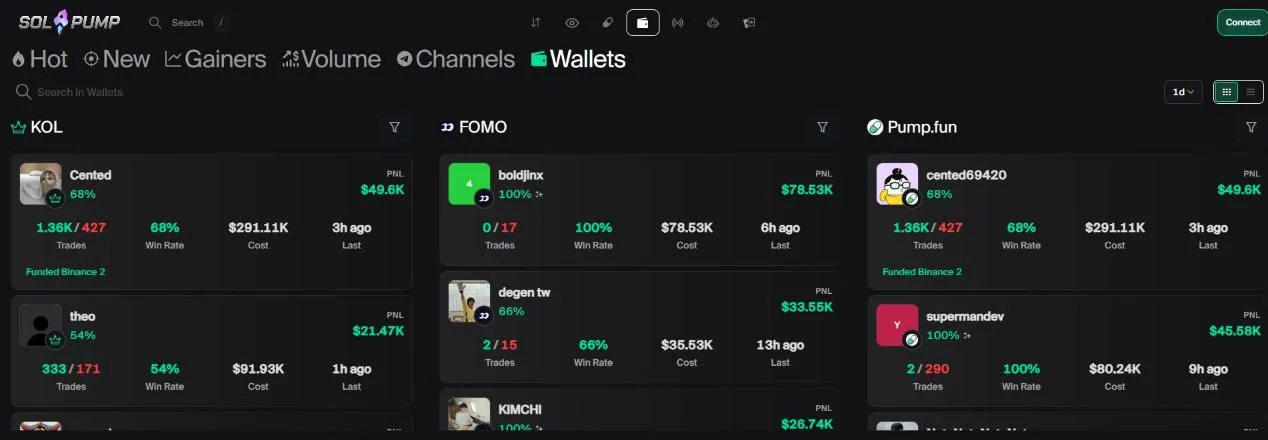
The Wallets section in the menu (also the Wallets tab of Scanner) ranks wallets by PnL and win rate over several time periods. Open a wallet to see its positions, trade history, funding sources and transfers.
SolPump comes with labeled wallet groups such as FOMO, Pump.fun and KOL. Click Follow to track a wallet, and activity from the wallets you follow shows up in its own feed. There is also a live trade feed and a money flow chart to see which tokens money is flowing into.
X tracking and Takes
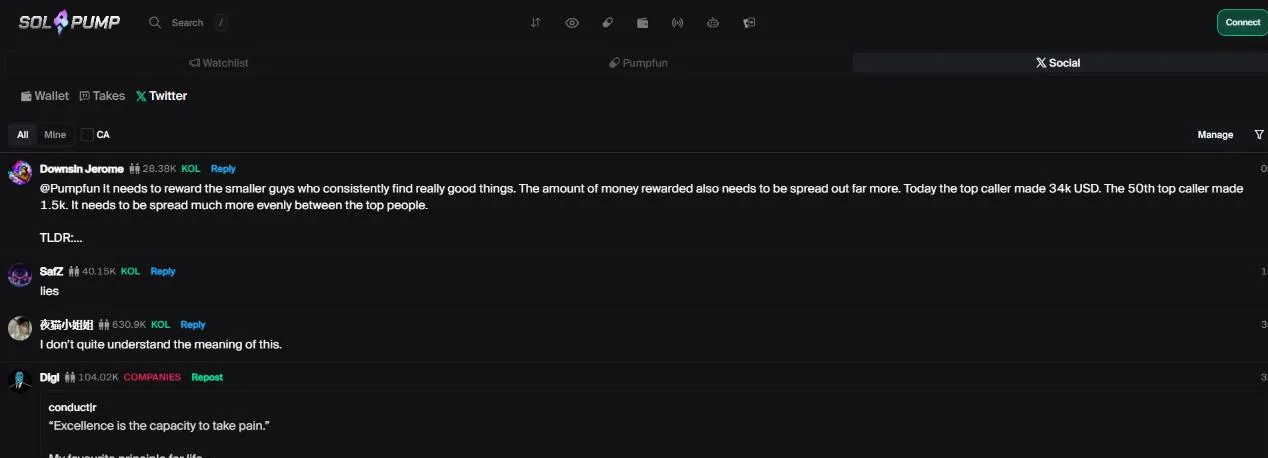
The terminal has its own X feed: search for and follow authors, see new posts from the accounts you follow, and filter by token, by keyword or both. The token page also shows tokens from the same X community or the same creator.
Takes are views traders write about the market or about a token. You read them in a shared feed or per token, and see Takes right on the chart, with a notification when an account you follow posts a new Take.
Trackers, Watchlist and a custom layout
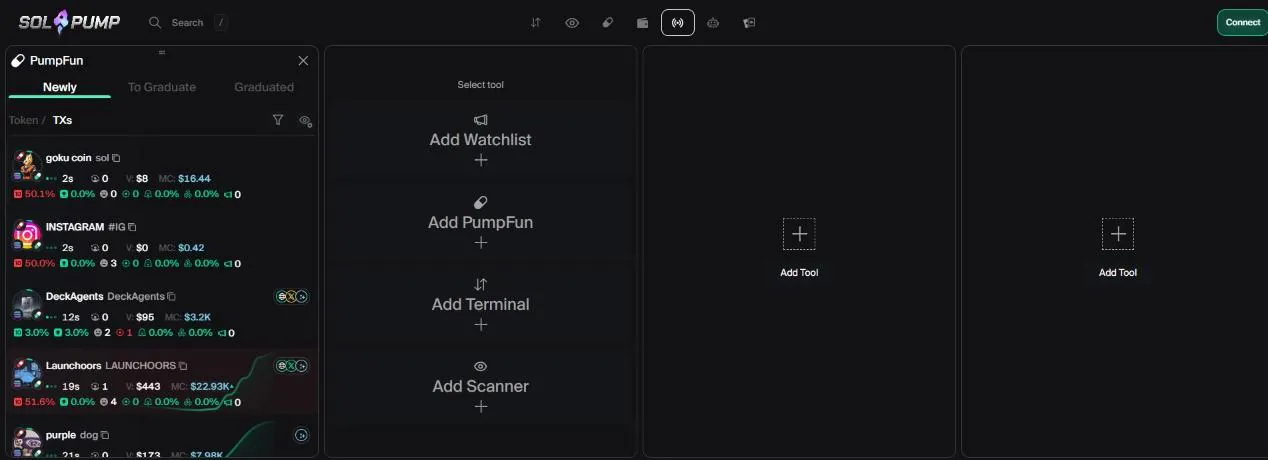
- TrackersA workspace you assemble yourself: add tools such as Watchlist, PumpFun, Terminal and Scanner as panels, then drag, resize, pin and save the layout.
- WatchlistLive calls from Telegram channels and the lists you follow, plus the tokens you bookmark.
- Sound alertsTurn on separate sound alerts for orders, bots, wallets, calls and social posts.
- LighthouseA market overview: activity, volume, tokens that just graduated, and each launchpad's 24-hour average graduation market cap.
- P&LA PnL table for 24 hours, 7 days and 30 days, broken down by platform, after trading fees; export an image to share.
Rewards: fee cashback, $SOLPUMP tokens and referrals
On the Rewards page, every trade gets part of its fee back (cashback) and earns extra $SOLPUMP tokens based on volume, with rewards going to your SolPump account. The cashback rate for each tier only shows once you connect a wallet, so check it on that page.
To refer friends, set a referral code (which is also your username) and share the link. Accounts have tiers from Normie and Newcomer up to Bronze, Silver, Gold, Platinum and Diamond. SolPump has not published its referral commission rate.
Fees and safety
SolPump has not published its fee in any official announcement; we record 1% per buy and sell order, so check the fee shown in the order panel before buying. Part of the fee comes back as cashback, as described above. On top of that you pay Solana network fees, the priority fee and the bribe if you turn on anti-MEV.
- Only go to the real trade.solpump.io; the official channels are X @Spumpio and the Solpump Community on Telegram.
- When you log in, your wallet only signs a verification message and creates no transaction. Any site that asks you to sign a transfer just to “log in” is fake.
- The terminal creates a separate trading wallet that signs orders for the bots. Only deposit the funds you plan to trade with, and move profits to your own wallet; you can export this wallet's private key.
- The Casino button leads to SolPump's casino, and funds can move back and forth. That's gambling, not token trading.
When we checked (October 28, 2026), there had been no confirmed hack involving SolPump.
Get started with SolPump Terminal
- Open SolPump TerminalGo through our link, at no extra cost.solpump.tradewizbot.pro
- Connect a Solana walletClick Connect, choose a wallet such as Phantom and sign the verification message (free). The terminal creates a trading wallet for you to deposit SOL into.
- Deposit a little SOL, start smallDeposit a little SOL, try buying a token from Scanner or create an Autobot with a small amount, with a stop loss already set.
Screenshots taken on October 28, 2026; the interface may change. Not investment advice: memecoins are high-risk, only use money you can afford to lose.