
What is Maestro? Main features and how to use it
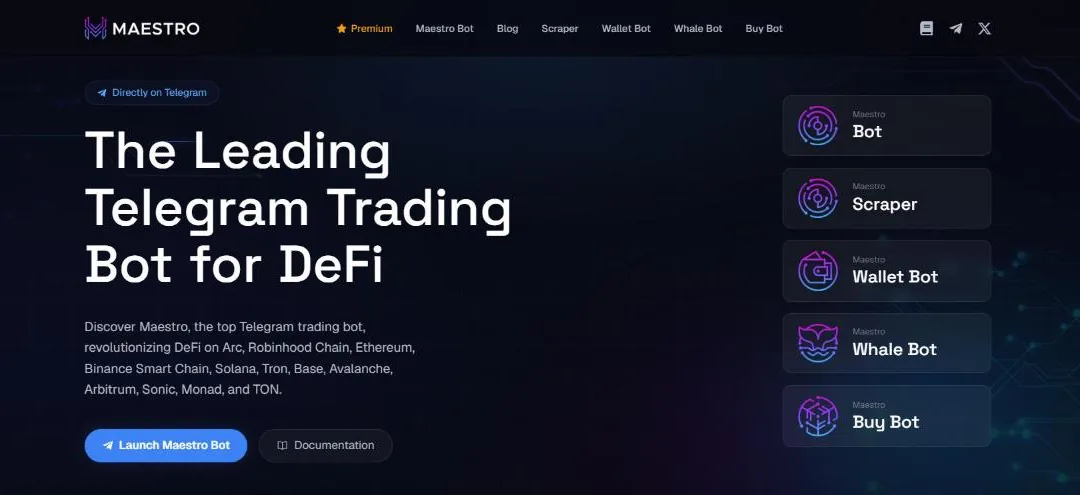
Maestro is one of the longest-running Telegram trading bots, used entirely in a chat with the @maestro bot. It runs on many chains at once: Solana, Ethereum, BNB Chain, Base, Arbitrum, Avalanche, Tron, TON, Robinhood Chain and more, with copy trade, auto snipe, signals and limit orders.
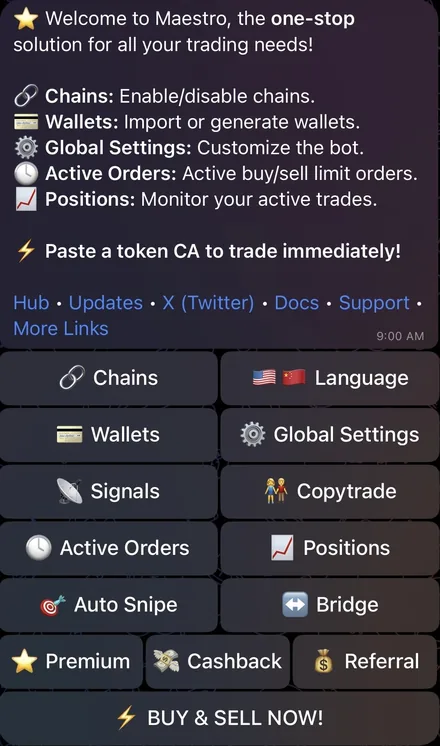
Main menu: everything lives in the Telegram bot
Open the @maestro bot, click Start and solve a small captcha to verify. Then type /start to open the main menu. Maestro runs right inside Telegram: everything is done through buttons and commands typed in the chat.
The menu has Chains (turn on the chains you want), Wallets (create or import wallets), Global Settings, the three automated modes Signals, Copytrade and Auto Snipe, then Active Orders, Positions, Bridge, Premium, Cashback, Referral and Language (English or Chinese). The BUY & SELL NOW! button reminds you to paste a token address to trade right away.
One bot, many chains
According to the docs, Maestro supports Solana, BNB Chain, Base, Ethereum, Monad, Sonic, Avalanche, Arbitrum, HyperEVM, Robinhood Chain, Tron and TON. During 2026, Maestro's update channel announced Arc and Stable (July) and Ink (September).
Go to Chains or type /chains to turn each chain on or off; each chain has its own wallets and settings. On each chain, the bot trades through popular DEXes and launchpads, for example PancakeSwap and Four.meme on BNB Chain and Uniswap on Ethereum.
Wallets and moving funds between them
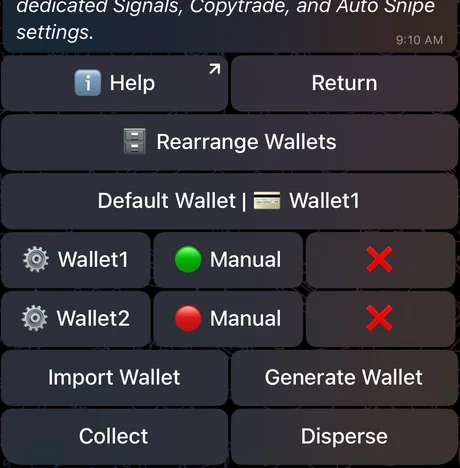
Go to Wallets, choose a chain, then Generate Wallet (create a new wallet) or Import Wallet. Maestro recommends creating a new wallet rather than importing your main one. Each chain allows up to 8 wallets, or 10 with Premium.
Turn on Manual for a wallet to include it in multi-wallet manual buys; Default Wallet is the default wallet for automated orders. From a wallet you can send coins or tokens, rename it, or import the same wallet to another EVM chain. The /disperse command splits funds from one wallet across several, and /collect gathers them back into one.
Token Report: paste an address to get the trading panel
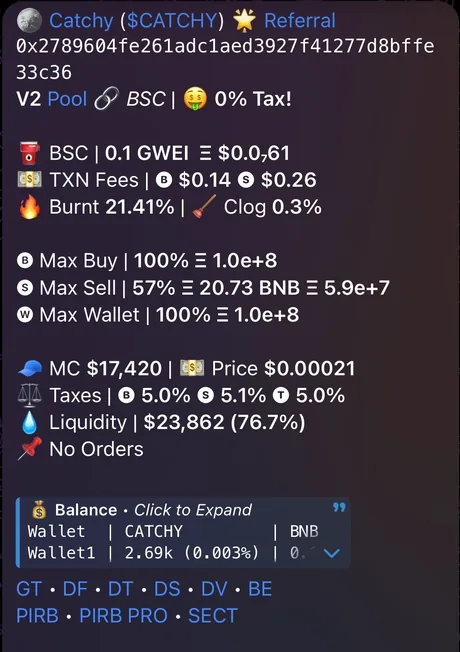
Paste a token address into the chat and Maestro returns a Token Report: market cap, price, liquidity, buy, sell and transfer taxes (EVM chains), maximum buy per transaction and per wallet, estimated gas, burn share and the balance of each of your wallets. Below are buttons to buy by coin amount or token amount, Ape Max (buy the maximum one transaction allows), and sell by % or Sell All from every wallet.
The Track button follows the token without buying; Multi Buy picks several wallets to buy at once; Buy Limit and Sell Limit place pending orders; Snipe is for tokens that haven't opened trading yet. On EVM chains there are also Approve and Revoke.
Trade Monitor and Positions: tracking trades after you buy
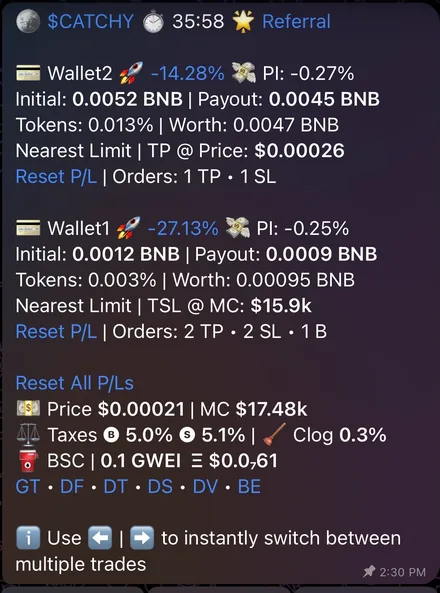
After a buy (manual or automated), Maestro opens a Trade Monitor: for each wallet you see PnL %, price impact if you sell (PI), the amount you put in (Initial), what you'd receive if you sold now (Payout) and the latest limit order. There are quick sell buttons for 25%, 50%, 75%, 100%, Sell Initials (take out your initial investment) and Sell All.
Each Trade Monitor runs for 36 hours (96 hours with Premium), with up to 10 monitored trades at once (30 with Premium). The Positions menu lists every token you bought, by wallet. After each sell the bot creates a PnL card; since June 2026 the default card is a video, and you can switch back to an image in the settings.
Limit orders: take profit, stop loss, trailing
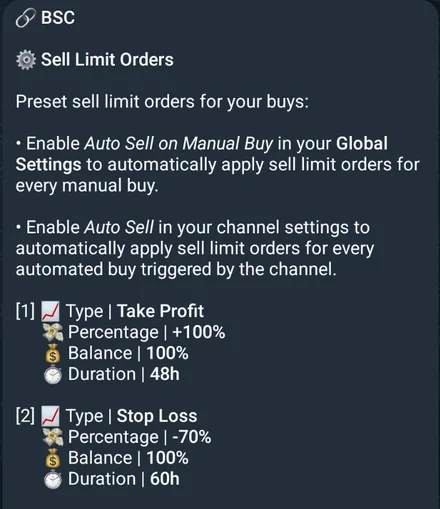
- Sell LimitThree types: Take Profit (a positive %), Stop Loss (negative) and Trailing Stop Loss (raises the stop as the price rises, never lowers it). Choose the % of your balance to sell and the expiry, up to 168 hours (7 days).
- Buy LimitTriggers on price or market cap; enter an exact number or a % relative to now, above or below. Set it for several wallets at once.
- Preset after every buyDefine a set of take-profit and stop-loss orders in Sell Settings, then turn on Auto Sell on Manual Buy: every manual buy gets these orders attached automatically.
- Active OrdersType /orders to view, edit or delete all pending orders on a chain. Up to 60 orders, 120 with Premium.
Copytrade: automatically follow good wallets
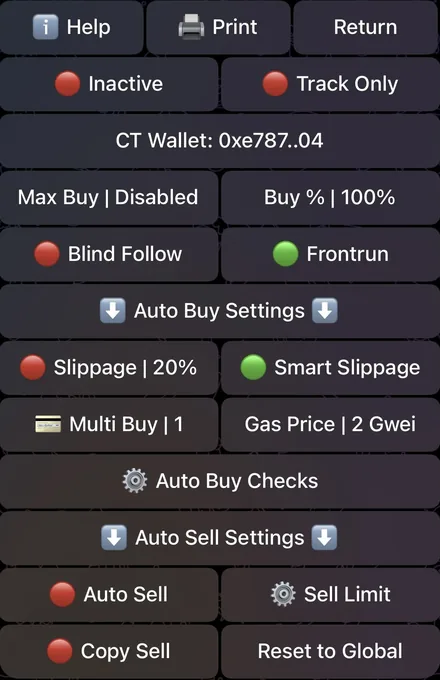
Go to Copytrade, choose a chain, click Add Wallet, give it a name and paste the address of the wallet you want to follow. Copytrade runs on every EVM chain and Solana, with up to 5 wallets per chain (12 with Premium). Click the wallet name to open its settings, set the buy amount and click Inactive to switch it to Active.
- How it buysMax Buy is the most you spend per trade; Buy % is a ratio to the source wallet's trade, up to 1000% if you want to buy more than they do. Track Only just sends alerts, with no buying.
- How it sellsCopy Sell: when the source wallet sells a % of its holdings, you sell the same %, even of tokens you didn't buy through copying. Auto Sell attaches take profit and stop loss, and can run alongside.
- FiltersAuto Buy Checks: minimum and maximum market cap and liquidity; maximum buy and sell tax on EVM chains.
- FrontrunOn Ethereum and BNB Chain, the bot sees the source wallet's transaction in the mempool and can pay higher gas to get in ahead of it.
Signals: auto-buy from call channels
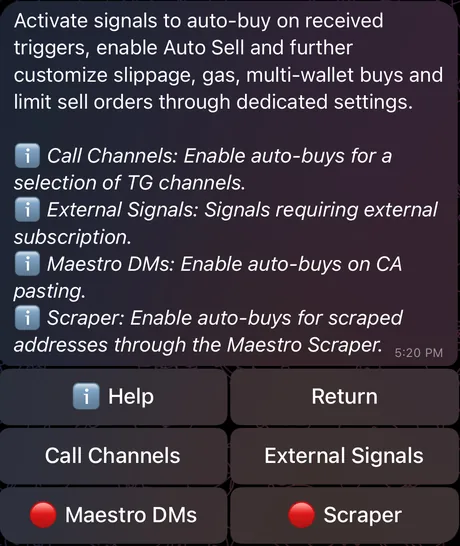
Signals lets the bot buy automatically when a new token address comes from: Call Channels (a list of Telegram call channels, ranked by how many Maestro users follow them, with a search box), External Signals (signal sources you subscribe to separately with the provider), Maestro DMs (buys as soon as you paste an address into the chat, good for surprise launches) and Scraper.
Each source has its own settings, like copytrade: buy amount, slippage, gas, multiple wallets, filters, Auto Sell, or Track Only to just get the Token Report. Call posts without a token address, or where the address is edited in too late, are skipped.
Auto Snipe: catch tokens when trading opens
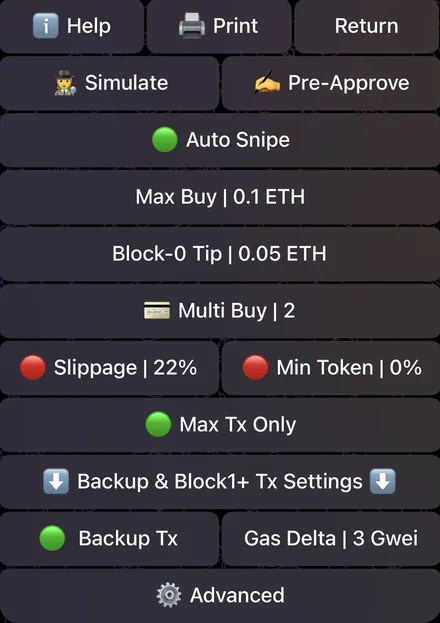
Auto Snipe runs on Ethereum, BNB Chain, Base and Solana. There are two ways to add one: go to the Auto Snipe menu, click Add Snipe and paste the address; or paste the address of a token that hasn't opened trading yet, and the Token Report shows an extra snipe row. Each snipe has its own amount, tip, slippage, MEV protection and wallets; switch the Auto Snipe button to green and you're set.
On EVM chains, the bot finds the exact transaction that opens trading, avoids the first blocks that are prone to blacklists or high taxes, lets you set the maximum tax you accept and adjusts the amount to the buy limit. On Ethereum there is Block-0 Tip: Maestro users' orders go into one bundle, a higher tip gets a better spot, with a backup transaction if the bundle misses.
Global Settings: MEV protection, gas, slippage
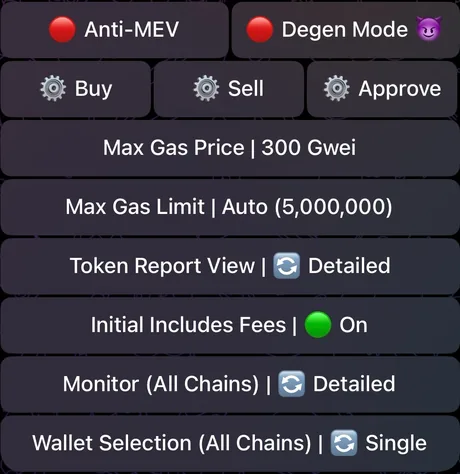
- Anti-MEVAlways on for Ethereum: orders go through a private relay and never show in the mempool. On Solana, when on, orders go through Jito, Temporal or NextBlock to avoid sandwiches.
- Degen ModeTurns off the block on automated buys of tokens with honeypot, blacklist or weak liquidity warnings. Only turn it on if you accept the risk.
- Buy, SellPreset buy and sell buttons, gas, slippage or Smart Slippage (calculated from the taxes), a warning when price impact exceeds 20%, and confirmation before manual trades.
- Auto BuyAllow Auto Buy must be on for signals and copytrade to buy. Turn off Duplicate Buy so you don't buy a token you already hold again.
Bridge: move funds between chains inside the bot
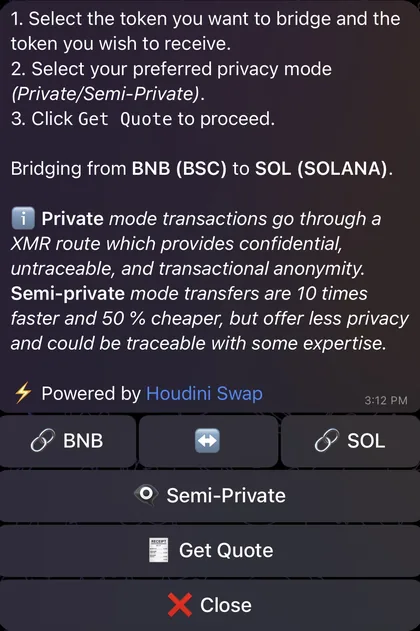
Maestro has three cross-chain routes. /bridge (or /relay, powered by Relay) is the default fast route, and also the Bridge button in the menu. /debridge uses deBridge and can move stablecoins and major assets besides the native coin.
/private uses Houdini Swap: funds pass through a one-time deposit address, so the sending and receiving wallets aren't linked on-chain. Choose Private (more anonymous) or Semi-Private (faster and cheaper). All three show you the quote, fees and minimum amount received before you confirm.
Premium: the paid plan for heavy traders
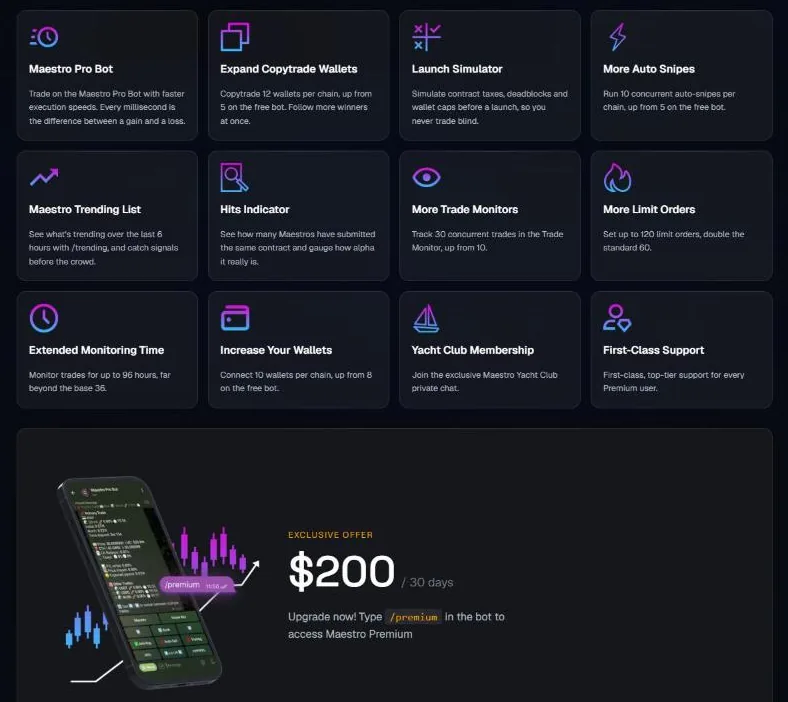
Premium costs 200 USD per month and is bought in the bot with the /premium command. It gives you Maestro Pro Bot (a faster version), Launch Simulator, a 6-hour trending token list, the Hits metric (how many Maestro users have pasted the same token address), priority support and the private Maestro Yacht Club group.
- Wallets10 wallets per chain, 8 on the regular version.
- Copytrade12 tracked wallets per chain, 5 on the regular version.
- Auto Snipe10 simultaneous snipes per chain, 5 on the regular version.
- Trade Monitor30 trades, running 96 hours; the regular version has 10 trades, 36 hours.
- Limit orders120 orders, 60 on the regular version.
Cashback, rewards and referrals
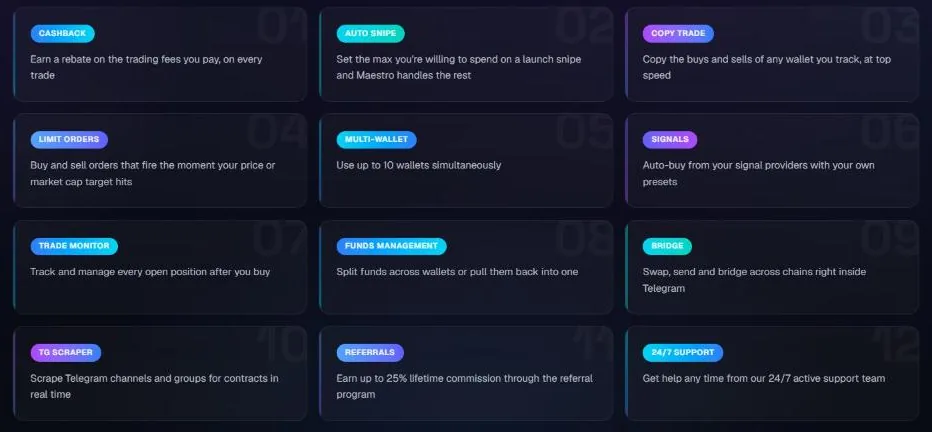
Cashback returns part of the 1% fee on every buy and sell, automatically, with no sign-up needed. The rate depends on your volume tier: Bronze 15%, Silver 20%, Gold 25%, Diamond 30%. Type /cashback to see your balance per chain and withdraw once it passes the minimum; the network fee for the withdrawal comes out of the amount you receive.
There are also /rewards (time-limited reward rounds; once expired they can't be claimed), Campaigns (promotions such as cashback tier boosts or free Premium) and /competition (trading competitions currently running).
The referral program pays 25% of the fees of new users who join the bot through your link, for life. There are also quick-buy links for individual tokens; if the person clicking already has another referrer, the 25% is split in half. Referral earnings aren't sent automatically: you set a receiving wallet (Fee Wallet) and click withdraw.
Maestro's other bots
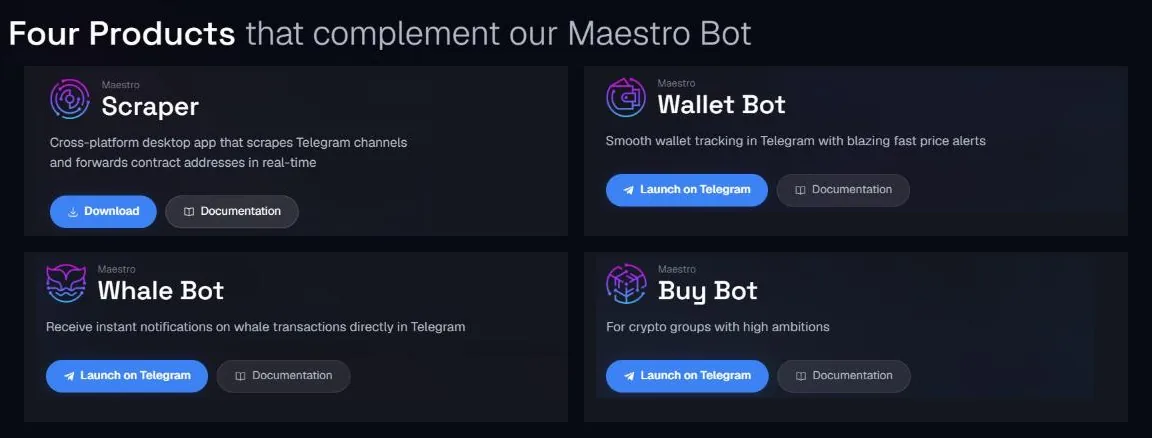
Besides the trading bot, Maestro has three other free Telegram bots. Maestro Wallet Bot tracks wallet balances and gives quick price checks for BNB Chain, ETH and Arbitrum wallets (the My Wallet Tracker button in the main bot leads here). Maestro Whale Bot alerts you when the big wallets you pick make large trades. Maestro Buy Bot is for token community groups: it posts buys, sells and price moves, free for up to two tokens.
Fees and safety
Maestro charges 1% on every successful buy and sell, manual or automated alike; regular transfers are free. On Solana, the fee is taken within the transaction. On other chains, the bot accumulates fees and only collects them once they pass a minimum, taken from the wallet with the largest balance on that chain. If you see your wallet sending coins to Maestro's public fee address, that is the fee, not a hack. On top of that you pay gas, tips and the token's taxes (if any).
- Turn on 2-step verification for Telegram. According to Maestro, the biggest risk lies in your own account and actions.
- Write your private key and recovery phrase down on paper, then delete the messages containing them from the chat. Never give them to anyone.
- Create a new wallet in the bot instead of importing your main wallet; keep only the funds you plan to trade with.
- Only use the official @maestro bot (the Premium version is @MaestroProBot) and links from maestrobots.com.
- Avoid turning on Degen Mode and Blind Follow: they switch off the layers that block scam tokens.
On October 24, 2023, Maestro's Router 2 contract on Ethereum was exploited and about 280 ETH worth of users' tokens were taken. Maestro stopped the exploit within about 30 minutes, then used its own funds (about 610 ETH) to buy back the tokens or pay out ETH, fully compensating every affected wallet. According to Maestro, private keys are AES-encrypted.
Get started with Maestro
- Open MaestroGo through our link, at no extra cost.maestro.tradewizbot.pro
- Turn on chains, create a walletClick Start, solve the captcha, type /chains to turn on the chains you want, then go to Wallets, create a new wallet and write the private key down on paper.
- Deposit a little, start smallDeposit the chain's native coin (SOL, ETH, BNB…), paste a token address to make a small test buy, and set take profit and stop loss before turning on copytrade or signals.
Screenshots taken on October 28, 2026; the interface may change. Not investment advice: memecoins are high-risk, only use money you can afford to lose.