Are Trading Bots Safe? 10 Rules to Keep Your Wallet Safe
 2026-09-239 min read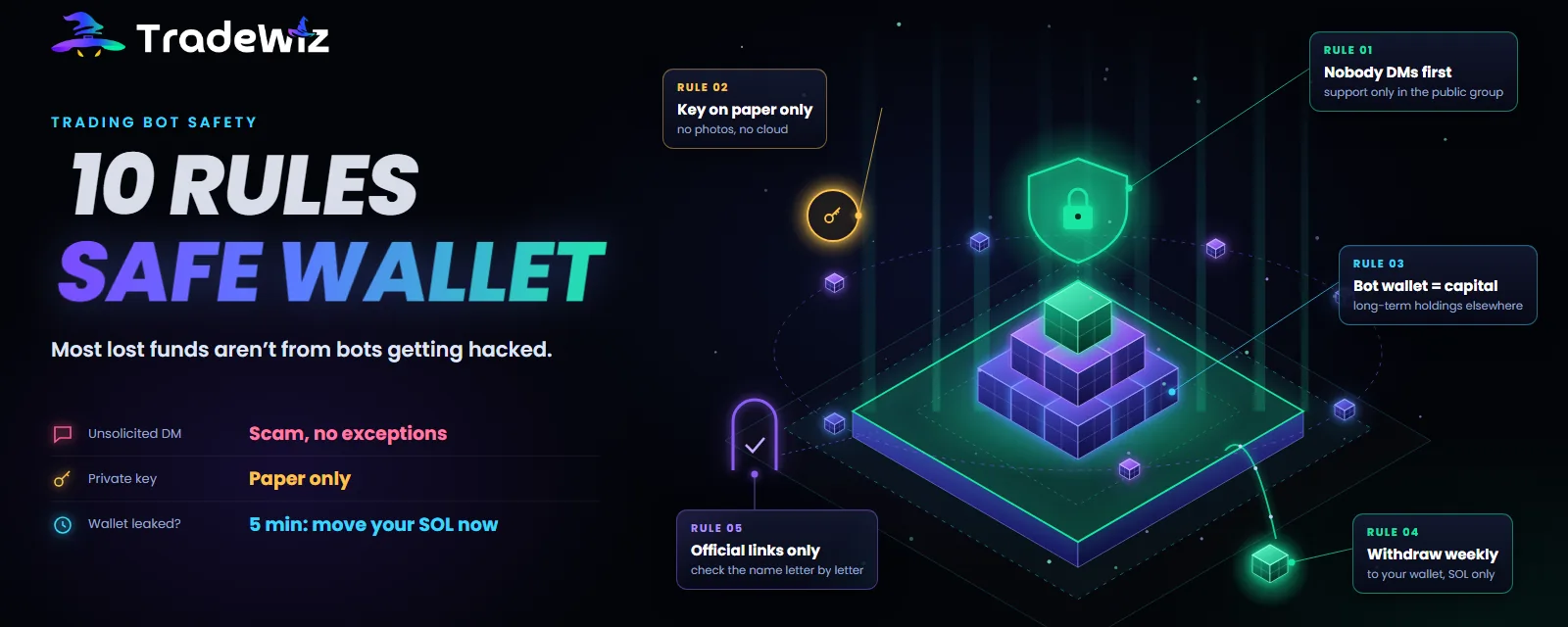
"Is this bot safe?" is the right question asked in the wrong place. When you look back at real cases of trading bot users losing money, most have nothing to do with the bot getting hacked. They start with a DM from someone claiming to be support, an "unlock your wallet" link, a private key screenshot that automatically synced to the cloud, or a token that can't be sold.
This post splits the risk into three layers, gives you 10 concrete rules, and walks you through what to do in the first 5 minutes if you suspect your wallet has been exposed.
Quick summary
- The TradeWiz team never DMs first. Anyone who messages you first is a scammer, no exceptions.
- Your private key only exists on paper. No screenshots, no notes, no sending it over chat, no storing it in the cloud.
- The bot wallet only holds trading capital. Withdraw profits to your personal wallet regularly.
- Platform risk is real, even with big names. The only defense is not keeping all your assets in one place.
Three layers of risk
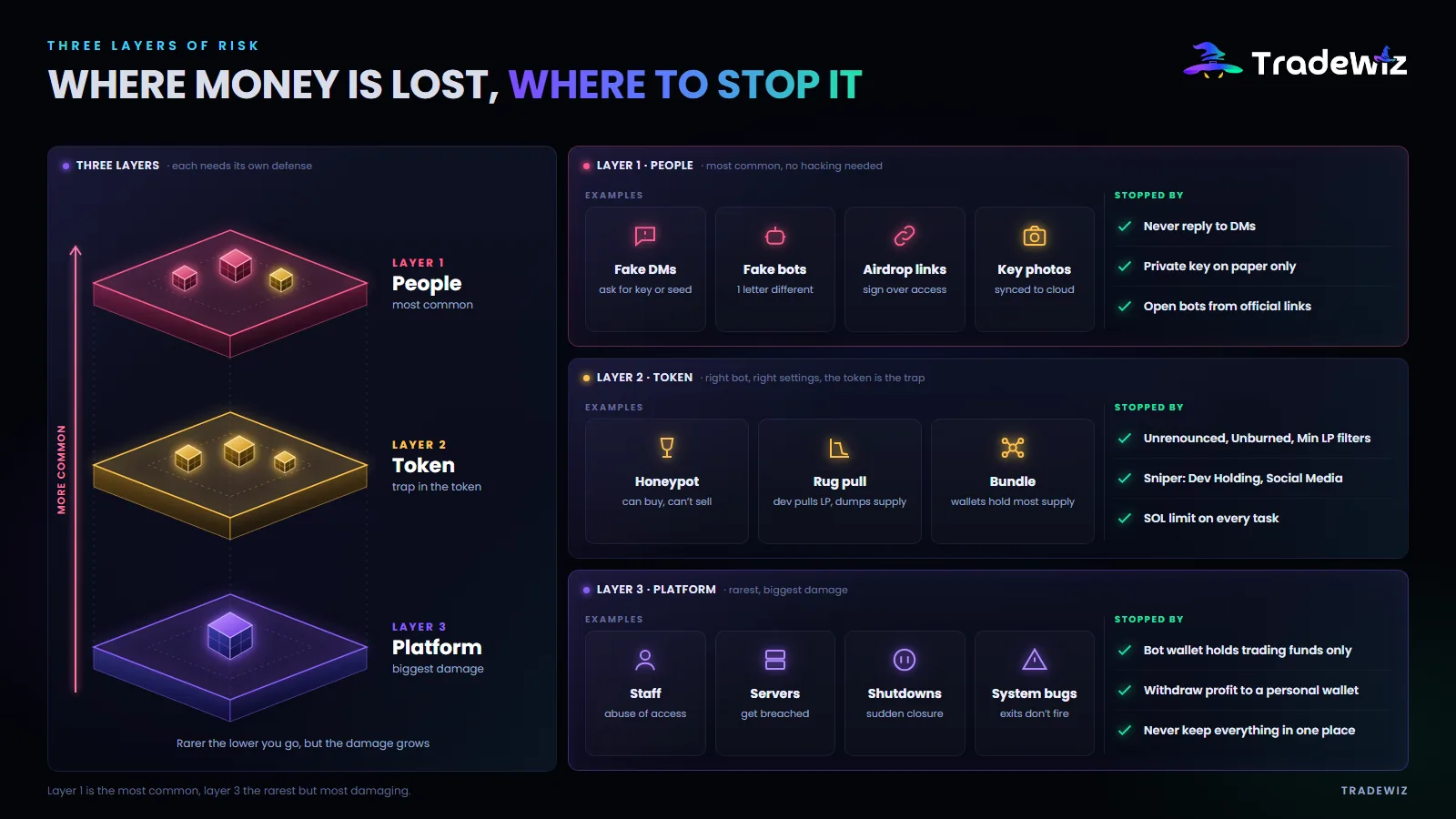
Layer 1: People
The most common and it takes no technical skill. Scammers don't hack your wallet, they convince you to hand over the keys yourself. The usual forms:
- A DM from an account with a name and profile picture that look like the support team, saying your wallet is locked, there's unusual activity, or you've won a prize, then asking for your private key or seed phrase "for verification".
- A fake bot whose name differs from the real one by a single character. You tap Start, the bot creates a wallet, you deposit, and the money belongs to whoever made the fake bot.
- "Claim airdrop", "unlock wallet" or "upgrade account" links that lead to a page asking you to connect your wallet and sign a transaction that grants permission to withdraw your assets.
- Screenshots of your private key. The image syncs to the cloud automatically, and cloud accounts are a frequent target.
Layer 2: Tokens
You're in the right bot with the right settings, but the token is a trap:
- Honeypot. The contract lets you buy but blocks selling. You see paper profit but can never cash out.
- Rug pull. The dev pulls the liquidity or dumps the entire supply in one trade.
- Bundle. Multiple wallets belonging to the same person hold most of the supply from the very first block. Everyone who buys after becomes their exit liquidity.
Layer 3: Platform
Rarer but very damaging, and it happens to big names too. In early 2026, an on-chain investigator accused a leading Solana trading terminal of having insiders who used admin tools to view user wallets and front-run their trades for months; the platform said it had fired the people involved. The forms of risk at this layer: compromised servers, staff abusing their access, a platform shutting down suddenly, system bugs that stop exit orders from running.
No platform, TradeWiz included, can promise zero layer 3 risk. The defense is limiting how much money can be affected.
10 rules
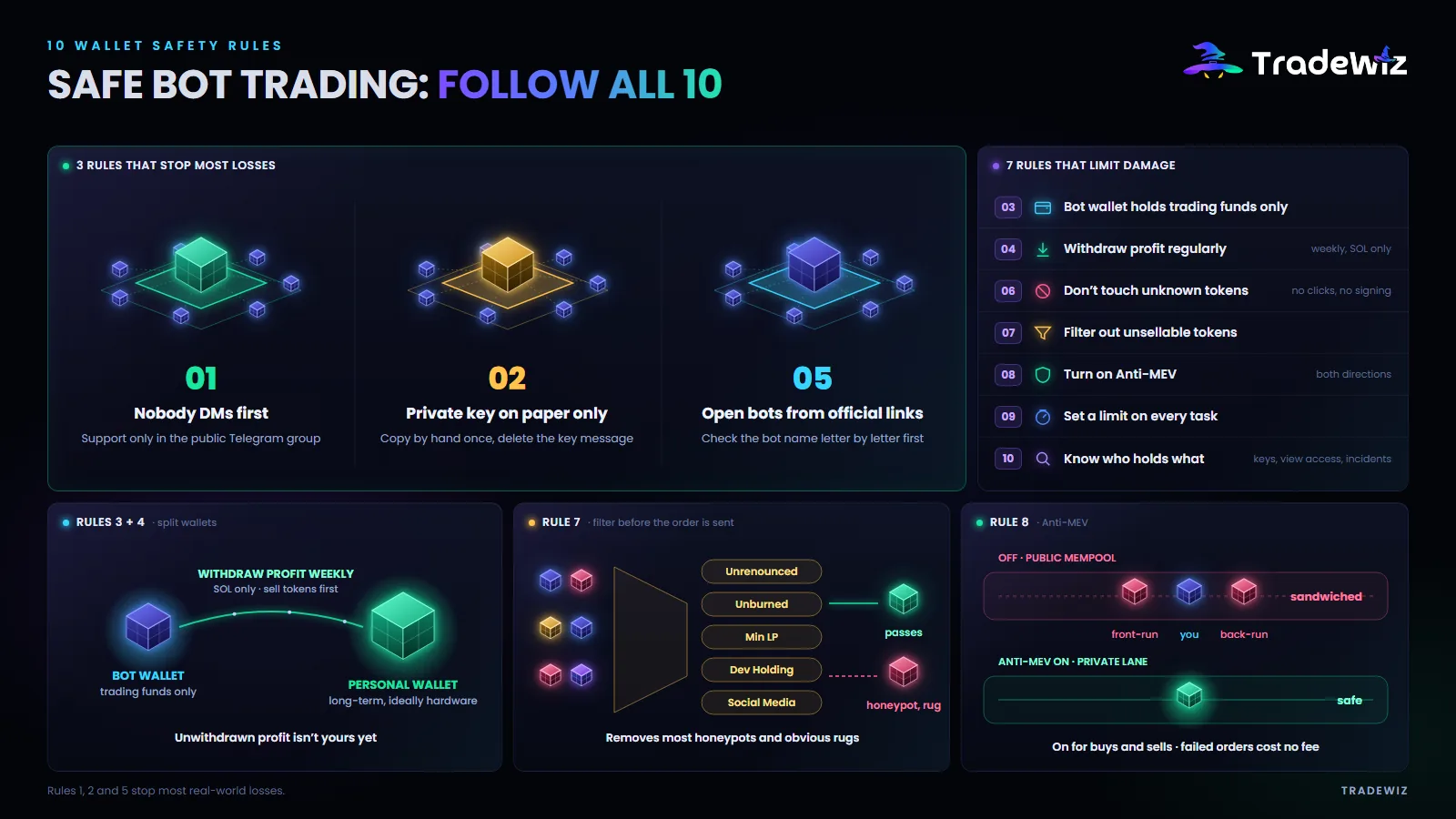
1. Nobody messages first
The TradeWiz team never DMs you first. Support only happens in the public Telegram group, where everyone can see. If an account DMs you first, whatever its name or profile picture, it's a scam. Block and report.
2. Private key on paper only
When the bot creates your wallet, export the private key once, write it down by hand, store it somewhere safe, then delete the message containing the key. No screenshots. No pasting it into notes. No sending it to yourself over chat. Don't store it in a password manager on an internet-connected device unless you really understand how it encrypts.
If you don't need to use this wallet anywhere else, consider not exporting the key out of the bot at all. Every place the key appears is another point where it can leak.
3. The bot wallet is a trading wallet, not a savings wallet
Only deposit money set aside for copy trading or sniping. Keep long-term assets in another wallet, ideally a hardware wallet. This rule caps your maximum loss for every risk across all three layers.
4. Withdraw profits regularly
Every week, withdraw your profit to your personal wallet. The bot currently only supports withdrawing SOL, so sell tokens for SOL first. Profit you haven't withdrawn isn't yours yet.
5. Open the bot from official sources
Only tap bot links from the tradewizbot.pro homepage or the official Telegram group. Don't tap bot links from DMs, comments or ads. Before your first deposit, check the bot name character by character.
6. Don't touch strange tokens
Tokens that show up in your wallet without you buying them, with names like "visit site X to claim your reward", are bait. Don't tap the link, don't try to sell them, don't sign any transaction on an unknown site. One wrong signature can grant permission to withdraw everything you own.
7. Filter out tokens that can't be sold
For copy trading, turn on the filters that skip tokens without renounced ownership or burned liquidity, and set Min LP. For sniping, cap Dev Holding and require social media. No filter is perfect, but they rule out most obvious honeypots and rugs before the trade is even sent.
8. Turn on Anti-MEV in both directions
Your trades go through a private channel, so sandwich bots can't see them coming to front-run you and sell after you. Failed trades with Anti-MEV on cost nothing. Getting sandwiched is a silent loss on every trade, and it adds up.
9. Set limits on every task
Sol Spending Limit for each copied wallet. Total Snipe Amount for each sniper config. These are automatic brakes for when you're not at the screen, and they cap your losses if a target wallet suddenly changes behavior.
10. Know who holds what
Before using any bot, be able to answer three questions: where is the private key stored, who at the platform can see your trades and wallet, and what incidents has the platform had and how did it handle them. No clear answer is an answer.
Spot a scam message in 10 seconds
A message with any of these traits is a scam:
- A DM that arrives before you've asked anything.
- A sense of urgency: "within 30 minutes", "before it's permanently locked".
- A request for your private key, seed phrase, or to "connect your wallet for verification".
- A shortened link or a domain that looks almost like the real one.
- A promise of a refund, reward, airdrop, or to "unlock" something.
The real team never needs your private key for anything. Ever.
If you suspect your wallet is exposed: the first 5 minutes
- Move all your SOL to another wallet right away. Use the bot's withdraw function to send it to a new wallet or a personal wallet that has never been exposed. Act first, think later.
- Sell tokens for SOL if there's time, then withdraw the rest. If the attacker has already started draining, prioritize whatever is left.
- Turn off every copy and sniper task so the bot doesn't keep buying into the exposed wallet.
- Stop using that wallet for good. A wallet whose key has leaked is never safe again, even if you change your Telegram password.
- Use a brand-new wallet. Create a new wallet and bring it into the bot with Import wallet, back up the key following rule 2, and redeposit your trading capital.
Then find the cause: which DM did you reply to, which link did you tap, what did you screenshot. If you can't find it, check your device for unfamiliar software.
FAQ
The bot holds my private key, so is it safe?
Every Telegram bot needs permission to sign transactions to run automatically, which means the key sits in their system. That's why rules 3 and 4 exist: only keep trading capital in the bot wallet and withdraw profits often. If you need absolute control of your key, accept the trade-off of having no automation.
Can I send tokens other than SOL to the bot wallet?
Yes, any asset on the Solana network. But you can only withdraw SOL, so sell tokens for SOL before withdrawing.
Should I use the same wallet for the bot and Phantom?
You can import a Phantom wallet into the bot with its private key, but you shouldn't. That wallet would then have its key in two places. It's best to use a separate wallet created by the bot that only holds trading capital.
My wallet balance suddenly disappeared. What should I do?
First, check whether you ever used a fake bot or replied to a DM. Open the wallet on Solscan to see where the money went. Then follow the first 5 minutes section above and report it in the official support group with your wallet address and transaction hash.
Key takeaway
A trading bot is only as safe as you are. Three rules block most losses: don't reply to DMs, keep your key on paper only, and open the bot from official sources. The other seven rules limit the damage from risks you can't control.
Common questions about wallets, keys and transaction errors are in the TradeWiz FAQ. If you need help, only ask in the official Telegram group, where everyone can see.
Trade Fast. Trade Smart.